By Mark on July 26th, 2011
Posted In: Blog
 My brother Jim finally got fed up with his Windows computers getting attacked by viruses. So, his son recently installed PCLinuxOS to his Netbook.
The exact version Mike installed was the newest PCLinuxOS featuring the LXDE desktop Environment. If you have a netbook, PCLinuxOS LXDE is the perfect choice.
You can get it here.
Neal and his team at PCLinuxOS really did a superlative job. The Desktop is fast, light, and feature rich. And it’s quite familiar. If you’re coming over from Windows, you’ll have no problem finding your way around the desktop.
I then took the Netbook (an Asus H1000) for a test drive and did some routine updates. Everything runs.
I think Jim is going to really enjoy using Linux. It’s certainly going to be much more stable and secure than Windows.
And he’ll discover the many reasons why Linux is so much better than Windows.
There are about 101 reasons why Linux is better than Windows. If you’ve never seen it before, here are the 101 reasons why Linux is better than Windows. Read ’em, be inspired, then get Linux.
By Mark on July 21st, 2011
Posted In: Blog,Uncategorized
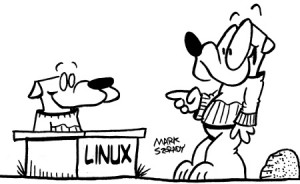
When people see Linux for the first time, they're impressed! They want to use it!
The following comes from Jim, a member on the PCLinuxOS forums.
I thought I’d share it with my blog readers. It points out how new users immediately see Linux as being attractive, powerful , and easy to set up and use. Once you see Linux is action, your curiosity level spikes!
Jim’s forum post also shows how easy it is to share Linux with others.
In my retirement from teaching mathematics, I am called upon, from time to time, to go to the local High School as a Supply or Relieving Teacher.
Today, as I left for another day in the classroom, I grabbed my laptop and, eventually, set it up in the classroom. For each class, I was able to demonstrate Linux in operation. Connection via the school network worked perfectly as did linking to the roof mounted video projector. (Connection to the projector has proved difficult with some other distros.)
One group of 15 year old students were so impressed on the OS on display, that 6 of them produced USB sticks and we pasted a copy of the (previously downloaded) ISO for PCLinuxOS 2010.12 on to each. Having warned them that the learning curve might be challenging but rewarding, I sent them off home with eager anticipation to try out their newly acquired OS. Some of the others in the class were keenly asking if I would be back to take them for mathematics again tomorrow so that they might also get a copy of PCLinuxOS. In the meantime, we settled back on to the scheduled study of area and volume.
Jim
By Mark on July 19th, 2011
Posted In: Blog
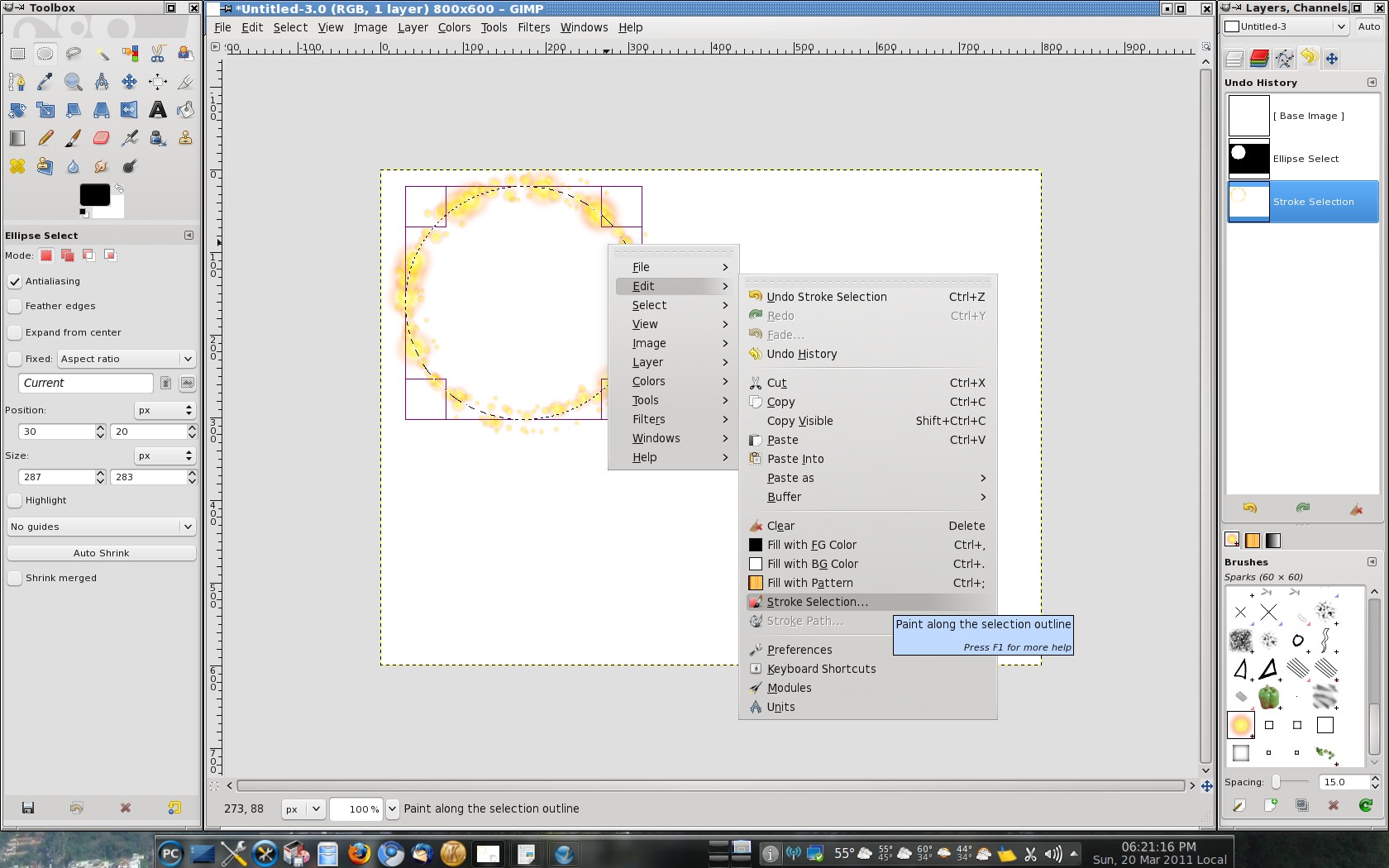
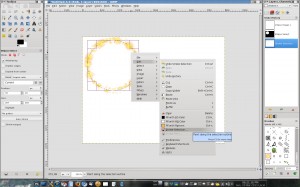 When I’m drawing one of my cartoon features, there are times when I need to digitally create a specific shape. Well, The Gimp can draw these different shapes. It only takes a couple of clicks. You use any of the selection tools and a command called Stroke Selection. You can use any color line or paintbrush in the toolbox and brush options. Step one is to make a selection. In the example at right, I used the circle selection tool. Then, right click on the selection’s marching ants outline and select Edit > Stroke Selection. When the dialog box pops up, you have options that allow you to draw a solid line or select a specific paintbrush (use the toolbox and brush options). Using paintbrush/pencil line sizes, you can vary the thickness of the outline being painted. In this example, I’ve used the sunburst paintbrush to draw around the selection outline.
Editor’s note: Mark Szorady is a Linux user and contributor to PCLinuxOS Magazine. He writes a column called Mark’s Quick Gimp Tip where he discusses various tools and tips when using the The Gimp (the free Open Source graphics app). Mark also contributes his game panel Double Take to the magazine. You can download a copy of PCLinuxOS Magazine at http://pclosmag.com/.
By Mark on July 14th, 2011
Posted In: Blog

The Georgetoon Blog has given me a chance to share my comic strip George with readers all over the world! Thank you for stopping by over the last year.
The Georgetoon blog officially launched one year ago on July 14, 2010.
I want to extend my thanks to all the readers and folks who’ve posted comments and “liked” it on their Facebook wall. Thanks also to all the folks on Twitter who follow this blog.
My sincere thanks to my nephew Mike for all his technical expertise in getting this set up and running smoothly. Thanks also to nephews and nieces Tom, Jim, Kelly, Brynn, and all the rest for following and sharing with others.
And a very big thank you to PCLinuxOS and everyone in the Linux community! Linux allows me to get my cartoon work done without having to worry about all the virus stuff floating around.
So far, this has been an absolutely wonderful first year of George comic strips and blog posts.
I look forward to year two and beyond.
By Mark on July 12th, 2011
Posted In: Blog
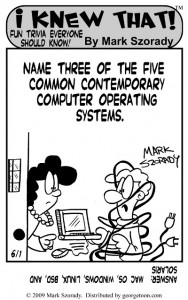 A friend stopped by the other day and we talked computers.
He wanted to know why his Windows system took so long to load and get working. Once booted up, it seems that his system was taking quite a long time to allow him to access the desktop, applications, etc.
Since he runs Windows, the answer is pretty obvious. Windows is busy allowing anti-virus and anti-spyware programs to update themselves. This involves downloading and installing new databases so they can detect new viruses and threats. These programs sometimes also do a routine scan on boot-up to make sure your system is free of infections.
This isn’t a bad thing. It’s good to know that your system is being protected. However, it can delay for several minutes your ability to access to and use the system.
With Linux, you don’t have to wait. Linux boots up fast and as soon as you’ve logged on, you can start surfing the web, playing music and videos, editing documents, etc.
This is because Linux is immune to Windows viruses and spyware. Linux doesn’t require all that extra antivirus software. These Windows anti-virus programs run constantly in the background and eat up valuable processing resources.
Plus, with Linux, you can choose from a number of desktop environments to run. These can be feature rich (Like KDE and Gnome) or streamlined and light weight (Like LXDE or XFCE).
Linux lets you choose!
Give Linux a try! You’ll immediately see how fast, stable, and secure it is!

 My brother Jim finally got fed up with his Windows computers getting attacked by viruses. So, his son recently installed PCLinuxOS to his Netbook.