Why buy questionable software when Linux is available?

Why buy questionable software when Linux is available?

I get emails offering me unbelievably low prices on top shelf software.   Imagine buying Adobe Photoshop, a $600.00 software application, for only $199.00!   Wow!  Or how about Window 7 Ultimate (regularly $400.00) for only 80.00!  Want MSOffice Professional ?  Why pay $600.00 when you can pay $60.00?!

Well, all these email offers  and web sites are suspect.  This is a case of  “if it sounds too good to be true…”

However, there is a legitimate, low cost, powerful alternative.

Linux.

Linux is free.  All the software for Linux is free.

Simply choose a Linux distribution, install it on your computer, get involved in the community, and…that’s it!  With Linux, you’ll have a nice clean desktop, hundreds of cutting edge software applications, and a more secure computing experience than Windows. (Linux is immune to windows viruses.)

A few years ago, Apple did an ad campaign that was widely imitated.  It was called “Switch.” The commercials showed former PC users standing against a white background talking about why they switched to Mac.

Well, this commercial was hugely popular and  brought about a lot of parodies. Some of the most creative parodies involved ads showing people who switched to Linux.   Which, in my opinion, has always been the better choice.

My favorite comes from Chris at dangercollie.com. (The ad is below. Simply click the link to play). Not only is it a neat parody of the original Mac Switch commercial, it’s quite informative. Chris gave me permission to run it here on my blog. Listen to the ad and what is being said. It’s all true. Linux installs easily, finds all your hardware and Internet connection and starts running with a nice clean display and wonderful software already installed.  And the cost (and ownership under the GPL) can’t be beat!  So, what do you want to do? Spend a bundle of money on a Windows system, or simply Get Linux (and save a bundle)? And sometimes, the best way to get Linux is to buy a new system with Linux pre-installed.

But, the best part is,  you won’t be tempted to buy into a “too good to be true” Windows software offer.  Linux already has everything for you!

Regardless of the Linux distro or how you get it,  it’s the right move to make. Enjoy the Linux ad!

Linux Switch ad – Totally Insane


Share

Yikes! This commercial is over 30 years old! Look how far we’ve come!

When you arrive at class or the office, make sure to fire this up on your netbook and show your friends.

Kind of ironic, isn’t it?  Watching a commercial for the first portable computer on a portable computer that is no larger than a small hardbound book.

└ Tags: , ,

Share

comartThe FCC and Department of  Justice recently approved the Comcast NBC/Universal merger.  There are conditions. You can read some of  those conditions here.

Of note is this passage from the linked report:

“The deal requires Comcast to provide “approximately” 2.5 million low income households with high speed Internet for less than $10 a month. To this population the ISP must also sell PCs, netbooks, or similar computer equipment at prices below $150, and offer a host of “digital literacy educational opportunities.”

“In addition, Comcast must grow its broadband networks to about 400,000 new homes, get fast Internet service to six additional rural areas, and offer free video and ISP offerings to 600 new “anchor institutions” in low income regions (“anchor” here means schools, libraries, and such).”

Well, this got me to thinking.  If the government REALLY wanted to serve low income households, they would also build into this condition that all the computers come without an operating system.  Why pay a premium for Windows?  The absence of Windows would further lower the cost of the computer to the ISP.   Next, they could supply Linux for those computers.  Linux is free! Now, use those “digital literacy educational opportunities” to teach the communities how to install and use Linux on their new system.  Believe me, it’s easy.  So easy, anyone can install Linux!

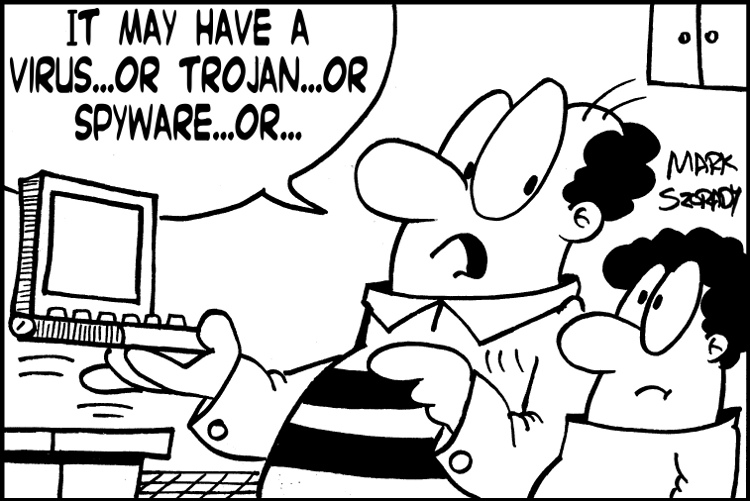
In addition, users would have a system more secure and stable than Windows.  They would also have no need for anti-virus software. Linux is immune to Windows viruses, Trojans, and spyware.

It’s a win-win.  Lower equipment costs to ISPs and a free operating system (and software) for the user.


Share
Hey!  Do you mind?!

Hey! Do you mind?!

It’s Sunday afternoon and I’m getting my deadline completed for upload to client newspapers.  I just put the finishing touches on a George comic strip.  Only one more to draw.

A funny gag just popped into my mind while scanning and editing the current comic strip on my Linux system.  So, I scribble a thumbnail while at my computer desk and need to move to my drawing table to sketch it out, letter, ink it in…in short, get it on paper in final form.

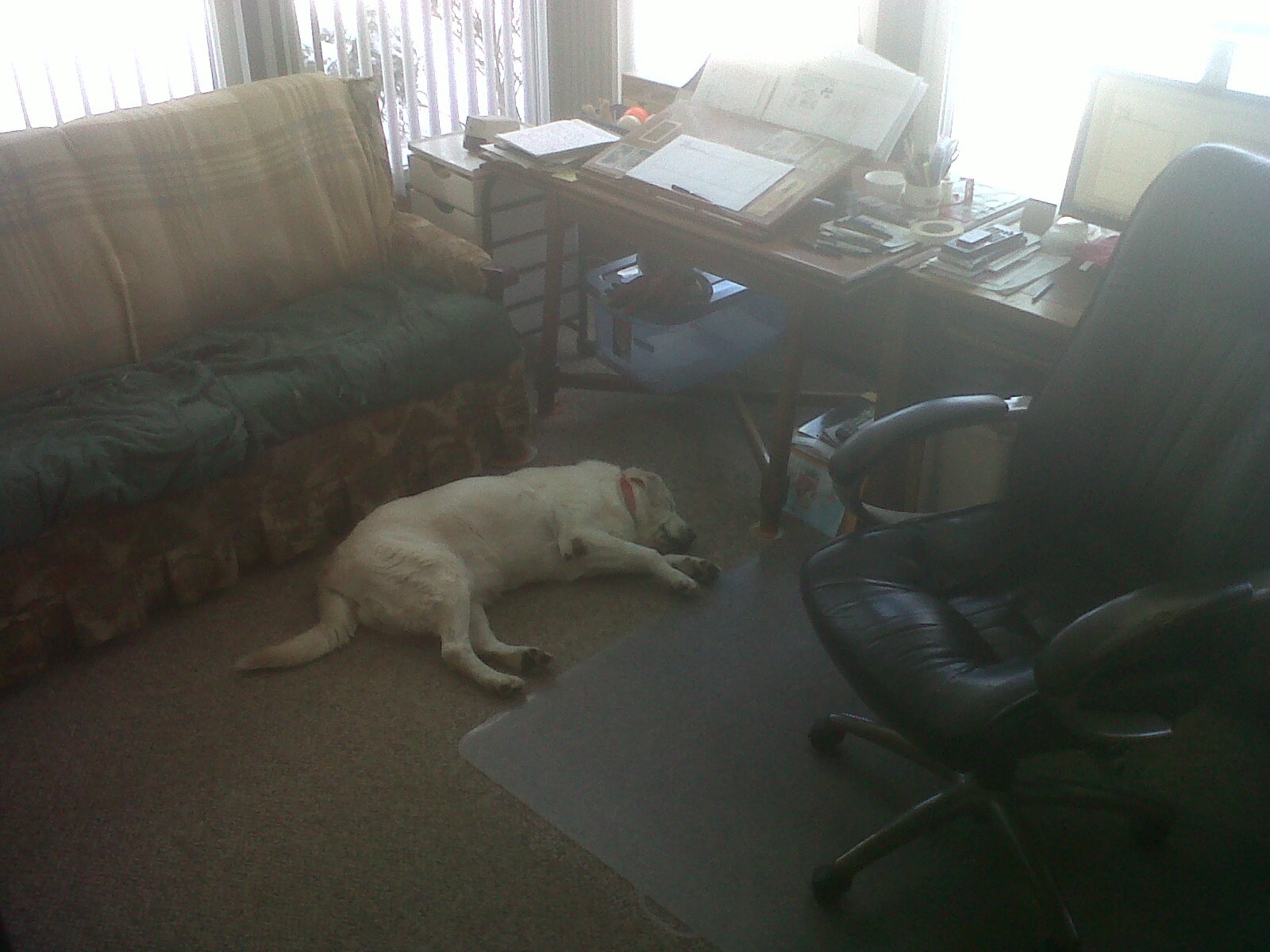
However, Gracie, my yellow Labrador, has decided that the very best sleeping spot in the entire house is right in front of my drawing table. It doesn’t matter that I have an old hide-a-way couch squeezed in just for her to lay on.  The couch is nice and soft and comfortable for the old girl. And she still has the legs to jump up and curl up.

Nope. Today, the floor space right in front of Mark’s drawing table. That’s the spot!

My studio chair has wheels so I can I roll from my computer monitor over to my drawing table. I roll back and forth.  When the chair’s not in one place, it’s in the other.  So, an open space next to me is a big invitation to Gracie.  She gets to grab a few Zzz’s and stay close to the guy who throws her a cookie every now and again.

gracie03When she’s not in the studio and sleeping underfoot, Gracie likes to lay down in the snow (in 14 degree weather!) and overlook the frozen lake.  Labs.  Go figure.

With Gracie, I couldn’t have asked for a better dog. Yellow Labs are, in my humble opinion, the best breed of dog. Period.  Labs love people.

Gracie is right on par with this trait.  She simply loves to always be around myself and others.  As my dad often says, “She’s a people dog.”

Yes, she is.

She’s also a “sleeping in front of  my drawing table when I’m on deadline” dog.


Share
A closeup of the culprit!

A closeup of the culprit!

Ever have one of those moments where you’ve tried EVERYTHING to solve a computer problem and it ends up being something so simple you just want to kick yourself?

This happened to me the other day.   I was in front of a Windows 7 computer system and when I typed in a password, web address or text in a document, new windows would start popping up all over my desktop!   The more I typed, the greater the number of new windows appearing on my desktop.

I closed windows and reopned them. I logged off and on.  I  rebooted.  Nothing worked.  I started to think that this system might even be infected with some sort of virus!

I almost did a restore of the system.  I even considered doing a complete re-install of Windows.   Just before I launched anti-virus software to scan the system,  I decided to take a step back.

I made a call to my nephew Mike.   Sometimes, it’s  good idea to get someone else to look at the problem from a fresh perspective.

As I described the problem, Mike launched Google and did a quick search.

Mike found the answer in just a few seconds.

“Uncle Mark?  Take a look at your keyboard,” he said. “Is your Windows key stuck?”

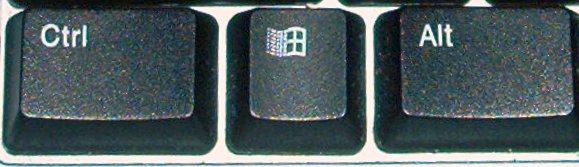
Sure enough!  On the left side of my keyboard, the second bottom key (with the little Windows logo on it) was stuck in place.  I dislodged it and all was well.

The Windows key, used in combination with other keys, is a shortcut to open/launch new windows.  For instance, the Windows key plus “E” with open “My Computer” in a new window.

So, if you use Windows and notice new windows opening all over your desktop when you type, take a look at your keyboard.  Make sure that the Windows key isn’t stuck.  It’ll save you a lot of grief.

Or, you could just run Linux and not have any Windows headaches.


Share