BBQ GRILLSummer is quickly drawing to a close. You can see the signs everywhere. The kids are going to back to school, the evenings are starting to get cooler, football games are cropping up on T.V. and in neighborhood parks, and roadside stands are selling fresh corn on the cob, vegetables, and fruits.

So, I’m making a point to take advantage of these final days of summer.

As I drive the country roads near where I live, I stop at those roadside stands to pick up fresh fruits and vegetables. And I absolutely make sure to grab a couple dozen ears of corn.

Most of these stands are self-serve. The honor system is at play here. Pick what you want and leave the money in the till. It’s a nice change of pace from swiping debit cards at a large Wal-mart.

And to make sure I drink in these last days of summer, I’m going to grill as much as I can.  I’m buying hamburgers, chicken, and brats. I’m picking up fresh buns and cheese. It’s time to shuck corn and drop ’em into a large pot of boiling water. All the ingredients which make for a great close to summer.

So, take advantage of these last days of summer. Get out of your “studio.”  Take a drive on a country road and grab some fresh picked corn. Get some burgers, chicken and brats. Fire up the grill, cook out, and take it all in!


Share

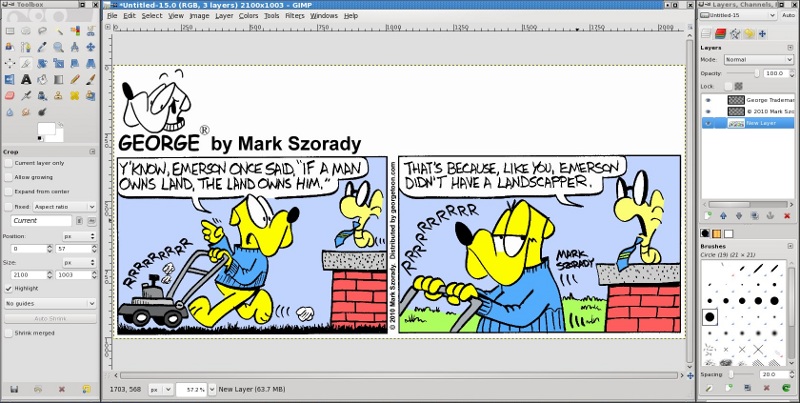
The Gimp editing a George cartoon strip

The Gimp editing a George cartoon strip

I’ve had the wonderful opportunity of speaking to various schools, libraries, and organizations. My talks on cartooning detail the way I draw the characters, how I structure a comic strip, and the tools of the trade.

In recent years, when speaking about the various tools I use, I also include an overview of the computer and graphics software. When I touch on his subject, the most often asked question (usually from parents) is which version of PhotoShop to buy. If not PhotoShop (due to its steep cost), is there a comparable program available?

In my Window days, I would’ve recommended PhotoImpact, PaintShop Pro, or Serif’s PhotoPlus.  All of these programs are very good. But they all retail at approximately $60.00 (and  up). Moms and dads want to give their kids access to digital graphics tools, but they’d prefer these to be a bit more affordable.

Well, how about FREE? Is that affordable enough?

Since moving to the Linux operating system, an entire treasure of free, open source software was placed at my feet. One of the best graphics applications, and available for all platforms, is The Gimp.

The Gimp is every bit as powerful and easy to use as many other graphics applications. It’s perfect for families on a budget. It’s available for Windows, Mac, and Linux as a free download.

You can download The Gimp at: www.gimp.org.

You might be asking yourself, “How is it that a powerful graphics application is available absolutely free?”  The Gimp is built by a community of volunteers and licensed under the free software agreement.

Because Gimp is free software, its free to download and free to give. You can download the Gimp, burn it to disk, and give it to friends and family. You can share it everyone at school, if you like.

You can also contribute your time and expertise to the Gimp project. One way people contribute to The Gimp project is by building various filters and plug-ins. These are free to download, too!

Even though The Gimp is available for Windows and Mac, it runs best on the Linux platform. It’s built specifically for Linux. If you really want to experience all that The Gimp and Linux have to offer, I recommend downloading any version (distribution) of the Linux operating system and installing it on a computer.

Chances are good that you have a second computer system sitting quietly in the corner gathering dust. It’s not running because it’s a Windows system and probably infected with a virus or malware.

Grab that system, reformat the hard drive, wipe Windows off, and install Linux. You’ll instantly have a brand new computer that is safer and more secure than Windows! And it will have the Gimp already installed.

Download Linux (and The Gimp) and give your kids an entire computer packed with software that allows them to express their creativity. And it’s all free.

And yes, I use Gimp every day in my studio.  I use it to create all my comic artwork and features.  I’m a Linux user and have been for the last six years.


Share

George at Drawing Table fileI own a nice, large, traditional drawing table.  I used it all through college to draw my comic strip George (Go Buckeyes!).   It moved with me from dorm room to frat house to back home.  And then it made the college rounds again years later when I loaned it to my nephew Tom.
But as the digital age emerged, and I had no need for such a large drawing surface, I opted for something a bit smaller and more efficient.   It’s called an Editor’s Desk and you can get it from Levenger.

I love this desk!  I’ve had it for about ten years.  It has a nice slanted surface for drawing and I use the back shelf to keep sketches, drawings and printed templates at hand.  Plus,it has a tray for pens and pencils and a ledge at the bottom to keep papers from falling off.

It’s the perfect size for drawing cartoons and somewhat portable.  (Well, at least, it’s easier to move than a large drawing table.)   I’ve set mine up on a larger table.  I can always pick it up and move to another table or desk.

If you’re thinking about getting a drawing table, give the Editor’s Desk a look.   You probably already have a desk or table that you use. Just add the Editor’s Desk and you’ll have an instant drawing board!


Share

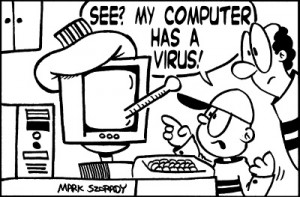
computer has a virusAnother malicious Trojan has surfaced. It found it’s way onto the computers of unsuspecting users and has stolen hundred of thousands of dollars. You can read all about the cyber-crime here.
The article has a couple of sentences that, for me, really stand out. The first is, ” Last night online banking customers were urged to make sure their anti-virus software was up to date – and to check for any missing sums from their account.”

The second sentence that caused my alarm to go off is, “’In the vast majority of cases, if people had kept their computer’s operating systems and software such as Internet Explorer up to date they would not have been attacked,’ he said.

‘More often than not Trojans exploit known vulnerabilities that can be simply patched and fixed by downloading updates.’”

Let’s examine the key words. “Anti-virus software.” “Internet Explorer.” “Trojans exploit known vulnerabilities.” It’s a safe assumption, when you read in between the lines, that all the victims had one thing in common. They were running Windows. What other operating system requires anti-virus software, runs Internet Explorer and has “known vulnerabilities?” Answer: Windows.

Windows is not very secure. And these home computer systems were more likely compromised because they were running Windows. And it’s a safe bet that the Trojan was specifically written to target and exploit Windows.

Need more proof? Read farther down. It says, “Computer owners should also make sure they have downloaded any updates of their operating software – usually Windows – and other programmes such as Internet Explorer, Firefox and Adobe.”

If you want to avoid all the nonsense of downloading patches, updating anti-virus software, etc., simply get LinuxLinux is immune to Windows viruses, Trojans and malware. Plus, Linux is extremely secure. Software is installed from a known repository administered by that specific Linux distribution. Therefore, software does not originate from an unknown third party. Plus, in order to install software on Linux, you need to give administration privileges to that application.

Linux is safe, secure and immune to all the nasty things out there that attack Windows.

Get the target of your back. Get rid of Windows, get Linux, and make your online banking more secure.

└ Tags: , ,

Share
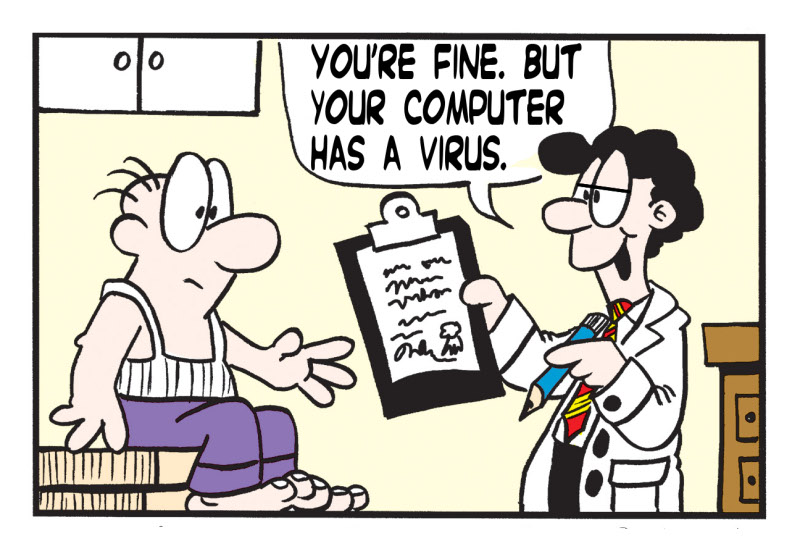
Computer virus

Surf safely with Linux and this will never happen to you.

Last week, I was running around trying to get several things done at the same time.  I booted my computer and logged in.  In between starting dinner and letting the dog out, I checked my email.  I received a message from a Facebook friend suggesting I visit a particular site.

Ordinarily, I recognize these phishing attempts and simply delete them.  However, this time, without thinking (I was running around, remember?), I clicked the link.

I immediately said to myself, “DOH!  No!  No! No!  Stop! Stop! Stop!  It’s a scam!!!  It’s a link to a virus!!!!”  Well, too late.  The browser had already taken me to the virus laden destination and….nothing.

That’s right.  Nothing happened to my system. No infection, no virus, no Trojan, no malware.  Nothing downloaded.  Everything went on normally.

Why? Because I run Linux.  Linux is immune to Windows viruses and malware, and trojans. I can surf safely all over the web  without a worry of anything infecting my computer.

If I accidentally click on a malicious link, chances are very good its probably written for Windows.  It needs Windows to execute and  deliver its payload.  Even if it were written for my specific version of Linux, I’d still need to give it permission at the administrator (root) level, plus modify its properties in order to get it to run.  The virus/trojan simply has too many hoops to jump through.

Even then, by force of habit, Linux users don’t install software from outside.  Linux comes with hundreds of programs already installed.  If you need anything else, you simply download and install from its repository, not from different websites scattered around the internet.

The majority of viruses are built to target and exploit Windows computers.  Get the target off your back.  Get Linux!

└ Tags:

Share