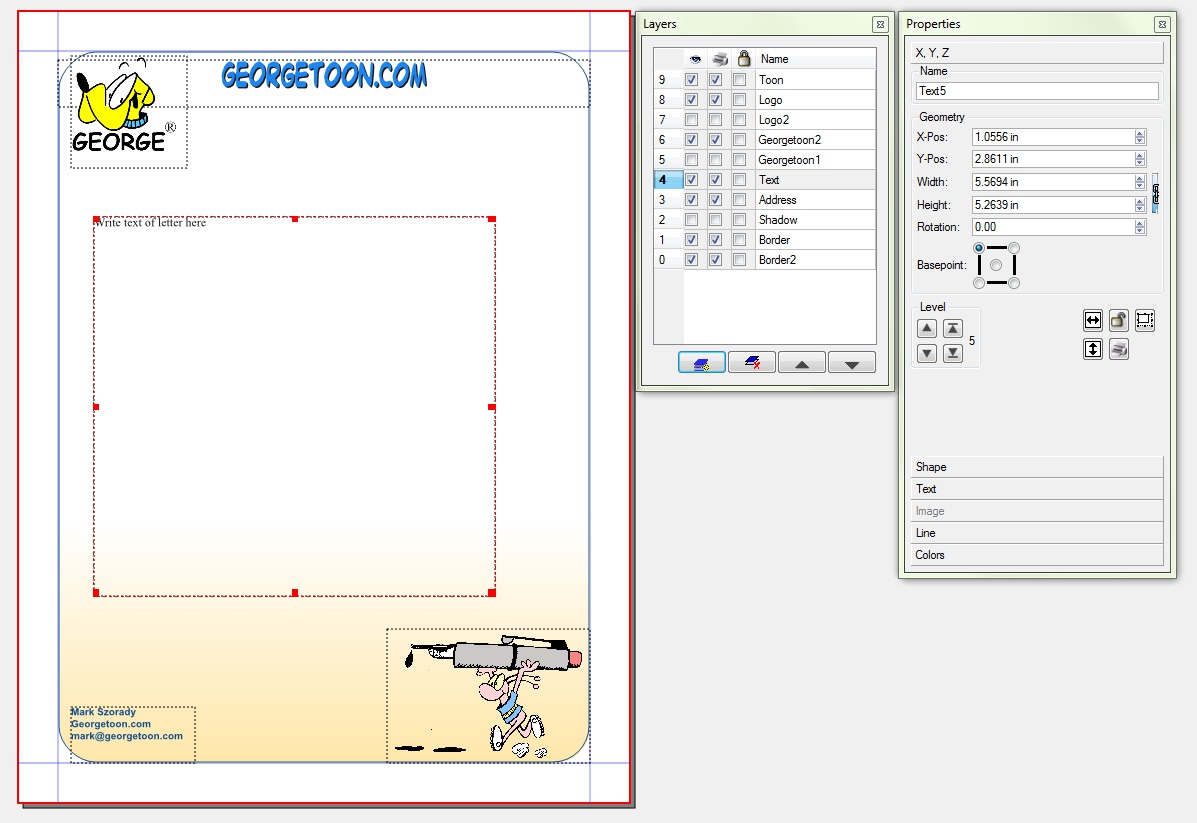
Georgetoon letterhead created wiht Scribus.  Click for larger image view.

Georgetoon letterhead created wiht Scribus. Click for larger image view.

As I mentioned before, here in the studio I use a Linux computer.  Well, calling it a Linux computer is a bit inaccurate. I have a computer and it runs Linux.  PCLinuxOS, to be specific.  PCLinuxOS, like all Linux distributions, is freely available for download at many different websites.  If you want to try Linux, I strongly suggest PCLinuxOS.  if you want to explore a bit more, then visit DistroWatch.com.  There, you can download and test drive (via a Live CD) any flavor of Linux being distributed today.

Linux comes with many software apps already installed.  When you install Linux to your computer’s hard drive, the programs are right there and ready to run.  These programs range from office suites to graphics apps to DVD/CD burners, music/MP3 players, etc.  Plus, there are thousands more available via the distribution’s software repository.  (A repository is a warehouse of sorts that is open 24/7.  Your Linux computer is always pointed to that warehouse, and you install and uninstall all your software via this repository.)

One such software program is Scribus.   Scribus is a freely available desktop publishing application.  With a couple of clicks, Scribus downloads and installs from the repository.  And, within minutes, you’ll be up and running a powerful, first class desktop publishing program.

I use Scribus to help create one of my comic features.  I also use it for many other projects.  At left, you can see how Scribus was used to design my new Georgetoon.com letterhead!

Scribus utilizes layers, similar to PhotoShop or Gimp (the Linux PhotoShop equivalent).  If you’re familiar with either of those programs, then running Scribus will be a snap!  And Scribus is feature rich. it works like many other popular desktop publishing programs and is capable of  press ready output.  Scribus is being used in the professional publishing world!

Scribus is available for all platforms.  So, if you run Mac or Windows, you’ll be able to install and run Scribus.   But Linux is where it performs best, IMHO.

Give Scribus a try.  You’ll be surprised by it’s power and ease of use.

Get Linux.

└ Tags: ,

Share

back_to_school_screenIt’s hard to believe, but families are already getting ready to send the kids back to school.  You see the signs and banners in all the stores.  And the kids will be going back to school with the usual new shoes, new clothes, pencils, backpacks, netbook computers and a host of other items.   So, how about a T-Shirt?  That’s right, to celebrate the return to school, get this fun Back To School cartoon T-Shirt from the Georgetoon shop.   When the kids return to school in mid August, the days will still be warm and sunny.   A T-Shirt is perfect for those first days when school is in session as summer turns to autumn.  Or get one for Mom to help her celebrate the kids’ return to school!   (You know she’s happy that school has started again!)  So, brighten their school bus trip back with this fun shirt!  Available in kids and adult sizes! (I had fun drawing this cartoon.  I added a laptop computer and i-Pod to the items flying out of the boy’s backpack. )

└ Tags:

Share
blueline large

Non-photo blue pencil example. Click for larger image.

I draw five comic features, so I need to work fast.  One of the great time savers is the non-photo blue pencil.  It’s a simple and efficient approach.  The blue pencil lines don’t scan.  So, as I draw, I can get as sketchy as I want.  I can draw and redraw a character or background to find the right look. Once I’ve got everything the way I want it, I then pull out my pens and start inking.

I lay a nice black line atop the blue lines.  Funnily, I can find the exact lines I want to ink in black, even though all those blue lines are jumbled up a bit.  At times, I need to pull out a red pencil to refine and define the exact blue line I want to ink.  Or, I simply press a little bit more with the blue pencil and make the line I want inked a little bit darker than the rest.

Once the inking is completed, I do a one bit black and white line art scan.  A one bit scan reads only two colors, black and white.  It won’t read the blue lines. Therefore, these become invisible to the scanner and drop out.  The final result is a nice finished comic strip with black lines on a white background.

It’s clean and complete and ready to be send to newspapers.  And I didn’t have to spend a lot of time erasing unwanted pencil lines.  I can then open this comic strip file in Gimp, add color, resize, and edit to my heat’s content.

From hard to soft, non-photo blue pencils come in a variety of lead grades.  You’ll need to try a few and experiment to find which one is most comfortable.

(Click here to see how the final strip came out.)


Share
Get Linux

Get Linux

I love Linux!  I’ve been using this free, open source operating system for six years now.  Part of the fun of the Linux experience is trying out and using any number of different distributions.  Each has its own particular twist and personality.   For instance, desktop environments and specific installed applications may vary.  But, at base level, all are Linux.

I started out using a Linux distribution called Mandrake.   This was back in 2004.  Since then Mandrake has changed its name to Mandriva.  You can read about the name change and how it came about here.

Anyhow, I bought a USB hard drive with Mandrake pre-installed.   All I had to do was plug it into my Windows system, boot, and Mandrake Linux would run.  This method left my Windows hard drive and files untouched.  Running Linux from a separate hard drive enabled me to move back and forth.  I could run Windows, reboot, and then jump into Linux.   So, I continued to use Windows 98 but was still learning and using Linux.

From this point, I started downloading Linux ISOs and running Live CDs.  Running a Live CD is a great way to test Linux.  Simply pop the CD in your CD-ROM drive, reboot, and the disk will spin up and launch Linux.  You can then run Linux right from the Live CD.  Your Windows system and files will not be touched.  You can then test drive Linux making sure it runs all your hardware.  If you want to install Linux to your hard drive, Live CDs have a one click install icon on the desktop.  Which is what I eventually did.  I made the big step and installed Linspire  Linux on my Windows system as a dual boot.  So, instead of plugging in a separate Linux  hard drive, I split my internal hard drive in half. One side ran Windows, the other side ran Linux.

Pretty soon, I was running Linux more than Windows.  Now, I only run Linux on my studio desktop.  Specifially, I’m runing what I and many consider to be the best Linux distro!  PCLiniuxOS! It’s a great Linux distribution, easy to install and use,  and has a terrific community of folks to help you along!

All my cartoons are created on a PCLinuxOS/Linux system.  Linux has all the tools! From desktop publishing (Scribus) to photo editing (Gimp).  And all the software is free!  I’ll discuss Linux software in future blog posts.

I do everything with Linux. There are a few instances where I need Windows, but Linux handles this easily, as well.  Again, more on this in future posts.

And did I mention that Linux is immune to Windows viruses, malware, trojans and pop ups?   When you run Linux, you’ll have no need to run anti-virus software!

So, get Linux!  Download a flavor and take it for a test drive!

└ Tags: ,

Share
Hello, World! Commemorative T-Shirt

Hello, World! Commemorative T-Shirt

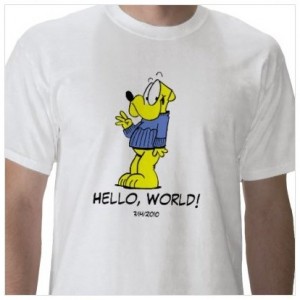
I wanted to do something to remember exactly when this blog took flight on the web.  It suddenly hit me that a T-shirt might be a nice way to mark the day.  So, here it is!  The Hello, World! commemorative T-Shirt featuring George!

It’s a neat little piece of cartoon art with George waving out to the world with the words, “Hello, World!” underneath and the date the blog debuted.

I used “Hello, World!” because that was the title of my first official post.  Yeah, I had one post just before “Hello, World!”  But that was just a place holder to while the blog was being developed.  Besides, “Welcome to Georgetoon.com!” doesn’t fit on a T-shirt as easily as “Hello, World!”

The shirts are now available in the George Store or get it by clicking here.

└ Tags: ,

Share