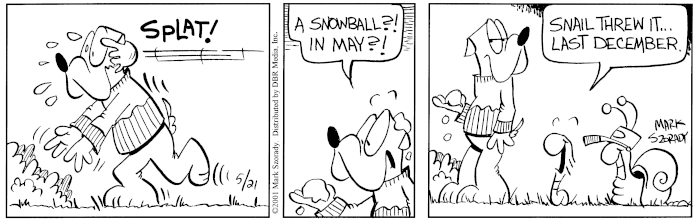
No kidding, we had snow last week! May 9th, 2021! Well if you need a sweatshirt due to a cool summer, check out these.

Beth Jones Comparison Review of Wizamet and Polsilver Razor Blades
By Mark on June 14th, 2021Posted In: Wet Shaving
Purpose of this non-scientific experiment is to determine within the parameters set forth below if there is any discernable difference between the Polsilver iridium double edge razor blade and the Wizamet super iridium double edge safety razor blades.
In an effort to equalize things as much as possible, I will be using the following shaving accessories:
Henson Al13 Mild aluminum razor
1 leg will be shaved with the Polsilver razor blade
1 leg will be shaved with the Wizamet razor blade
Shaving soap used will be Phoenix Artisan Accoutrements (PAA) Irish Springs CK-6 formula shave soap
Several factors that will influence YOUR results:
1.Gender – a man’s beard can be/is more coarse and thicker than a lady wet shaver’s body hair will be
2. Razor used
3. Shaving products used, i.e. soap, cream, pre-shave, etc.
4. Skin sensitivity
Also, for those interested, here is a link to A Refined Shave and their testing of various razor blades before and after use. I will point out this 1 comment: A lower number is a sharper reading, for more information, check out the link for the Astra razor blade below:
Ctrl-click on the link below:
Razor Blade Sharpness Testing – Refined Shave
Astra Superior Platinum Razor Blade Review – Refined Shave
PolSilver Super Iridium Razor Blade Review – Refined Shave
The author of this research at Refined Shave has a hypothesis about why the blade sharpness INCREASES after the 1st shave: “After the first shave, the sharpness increased to 46. This seems to be common for coated blades, my hypothesis is that as the coating wears off a bit the blade edge is more exposed.”
RIGHT LEG: Polsilver
I could feel the blade and it felt more “draggy” and slightly uncomfortable; however, I did not nick myself. First pass I could still feel stubble. 2nd pass I was able to achieve a clean close shave, but interestingly enough, with no irritation.
LEFT LEG: Wizamet
I could not feel the blade so it was definitely more comfortable and also a closer first pass shave than the Polsilver. The blade felt sharper, and I did sustain 1 small nick. 2nd pass I achieved a clean close shave with slight irritation.
FINAL ANALYSIS:
To sum it up, not a huge noticeable difference between the 2 blades. The Wizamet was slightly more sharp, more comfortable and on the 1st pass it produced a closer shave than the Polsilver.
For me personally, I would choose the Wizamet over the Polsiver blades.
As always, your mileage may vary.
1Comment

That time I hit 3,000 subscribers and promised to do a full head shave.:)
Phoenix Artisan Accoutrements: https://bit.ly/2KZICJx
Affiliate links
Phoenix Shaving Moonscape Brush Scuttle | A Classic Face Lathering Tool | Ceramic: https://bit.ly/3v54Ij5
=====
The Ascension SELECT Twist-Adjustable Double Open Comb Safety Razor | Flare Tip Series | 316L Stainless Steel Handle: https://bit.ly/37ZjC1t
The Ascension Twist-Adjustable Double Open Comb Safety Razor – CNC Machined | 316L Stainless Steel: https://bit.ly/3lrePuq
The Ascension Twist-Adjustable Double Open Comb Safety Razor | CNC Machined | Satin Finish Copper: https://bit.ly/2ZuG6T9
All Ascension Twist Adjust Razors: https://bit.ly/2WVbHfj
The Original Phoenix DOC Safety Razor – New NICKEL Plated!: https://bit.ly/2WnwVl9
Phantom Blue Open Comb Double Slant Safety Razor | Twisted Shave Tech: https://bit.ly/3taUayK
Crimson Ghost Open Comb Double Slant Safety Razor | Twisted Shave Tech: https://bit.ly/3pmqsVa
El Fantasma EPIC Open Comb Double Slant Safety Razor | It’s Twisted! | Limited Fall Release: https://bit.ly/3qVGXaV
Phoenix Razors: https://bit.ly/2YW9YbT
===
John Frum Epic Artisan Shaving Soap – Ultra Premium CK-6 Formula – 5 Oz: https://bit.ly/3rcrpzj
John Frum Epic Artisan Shaving Soap & Aftershave Bundle Deal – Ultra Premium CK-6 Formula – 5 Oz: https://bit.ly/2QxgJie
John Frum Epic Star Jelly Aftershave ~ A Whole New Species of Aftershave!: https://bit.ly/3cgUGVw
===
CaD Artisan Shaving Soap & Aftershave Bundle Deal – Ultra Premium CK-6 Formula – 5 Oz: https://bit.ly/39JvTaa
CaD Star Jelly Aftershave ~ A Whole New Species of Aftershave – Mentholated: https://bit.ly/3bKIlJl
===
Diver Down Artisan Shaving Soap & Aftershave Bundle Deal | Ultra Premium CK-6 Formula | Homage to the Original Seaforth Spiced!: https://bit.ly/2RFZmZZ
Diver Down Collection: https://bit.ly/2FTDlUA
===
Alum Block Dry Dock System | with or without 3.65 Oz Alum Block [103 Grams]: https://bit.ly/3iYxNqS
===
The Intergalactic Indestructible Shatterproof Travel Scuttle by Phoenix Shaving: https://bit.ly/36l8uta
===
CUBE 2.0 | 8oz Preshave Soap – New & Improved! Now a 1/2 Lb of EPIC SLICK! Expand Your Limits!: https://bit.ly/2xVWmCr
===
Vintage Style Art Deco Frog Blade Bank – Porcelain: https://bit.ly/3bgHvls
===
Future Fiction Artisan Shave Soap – Ultra Premium Formula CK-6 – 5 Ounces of EPIC!: https://bit.ly/2xoPFZ8
Future Fiction Artisan Shave Soap & Aftershave/Cologne Bundle Deal – Ultra Premium Formula CK-6 | 5 oz: https://bit.ly/2zT48xA
Future Fiction Star Jelly Aftershave – Bright & Refreshing – Lightly Mentholated: https://bit.ly/2ZuY7Sx
Future Fiction collection: https://bit.ly/3d8O4WD
===
High Jump 47 Collection: https://bit.ly/2AzvKs7
===
Clubguy Artisan Shave Soap – Ultra Premium Formula CK-6 | 5 Oz: https://bit.ly/38mzcD0
Clubguy Artisan Shaving Soap & Aftershave & Cologne Bundle Deal! – Ultra Premium Formula CK-6 | 5 oz: https://bit.ly/31IDWla
Clubguy Collection: https://bit.ly/37svyad
===
Amber Aerolite 24mm Stygian Synth Hybrid Brush | Retro Shave Tech!: https://bit.ly/36gfR77
Atomic Rocket 26mm Synthetic Shaving Brush – Suave Knot: https://bit.ly/2VYwK10
The Peregrino – 24mm Roswell (grey) Hybrid Synth Brush – Retro Shave Tech!: https://bit.ly/3bUUTuN
The Solar Flare – 24mm Nexus Hybrid Synth Brush – Retro Shave Tech!: https://bit.ly/2LIKebc
The Starcraft – 24mm Roswell (grey) Hybrid Synth Brush – Retro Shave Tech!: https://bit.ly/3glooLq
Atomic Rocket 26mm Synthetic Shaving Brush | Suave Knot: https://bit.ly/35VT7Hs
The Green Ray – 24mm Hybrid Tribble Synthetic Brush – Retro Shave Tech!: https://bit.ly/3gmqH0G
Phoenix Shaving Brushes: https://bit.ly/2WMewik
===
I participate in the Amazon Affiliate program. As an Amazon Associate, I earn from qualifying purchases.
My Amazon Product Page:
www.amazon.com/shop/markszorady
VIKINGS BLADE:
Swedish Steel Replacement Razor Blades, 50 Count: http://amzn.to/2vVugo7
Swedish Steel Replacement Razor Blades, 50 Count, Semi-Aggressive (Cayenne Hot): https://amzn.to/2Sx4lf8
VIKINGS BLADE The Chieftain Double Edge Safety Razor (Neutrally Aggressive): https://amzn.to/37wfHbN
The Chieftain Safety Razor (Odin Limited Edition): http://amzn.to/2Cglbcz
The Chieftain ‘5 BC’ Double Edge Safety Razor: https://amzn.to/2WUCCr1
the Chieftain JR Double Edge Safety Razor (Slim & Mild): https://amzn.to/2ZnkSnp
The Vulcan Safety Razor: http://amzn.to/2FrfUOa
The Emperor Adjustable Safety Razor: https://amzn.to/2WHhIPc
The Emperor Adjustable Safety Razor (Frosted Chrome): https://amzn.to/2XJha7M
The Emperor Adjustable Safety Razor, MEIJI Edition: https://amzn.to/2PhVyfM
The Crusader Adjustable Safety Razor, RAGNARR Edition V2: https://amzn.to/2KWB1uG
The Crusader Adjustable Safety Razor (Frosted Chrome): https://amzn.to/2LwUgOA
The Godfather ‘Stonehenge’ Double Edge Safety Razor (Ultra Durable 304L Stainless Steel): https://amzn.to/2NSXMSu
A look back at a Monday Morning Mailbag. 01/20/2020.
Phoenix Artisan Accoutrements: https://bit.ly/2KZICJx
Affiliate links
Phoenix Shaving Moonscape Brush Scuttle | A Classic Face Lathering Tool | Ceramic: https://bit.ly/3v54Ij5
=====
The Ascension SELECT Twist-Adjustable Double Open Comb Safety Razor | Flare Tip Series | 316L Stainless Steel Handle: https://bit.ly/37ZjC1t
The Ascension Twist-Adjustable Double Open Comb Safety Razor – CNC Machined | 316L Stainless Steel: https://bit.ly/3lrePuq
The Ascension Twist-Adjustable Double Open Comb Safety Razor | CNC Machined | Satin Finish Copper: https://bit.ly/2ZuG6T9
All Ascension Twist Adjust Razors: https://bit.ly/2WVbHfj
The Original Phoenix DOC Safety Razor – New NICKEL Plated!: https://bit.ly/2WnwVl9
Phantom Blue Open Comb Double Slant Safety Razor | Twisted Shave Tech: https://bit.ly/3taUayK
Crimson Ghost Open Comb Double Slant Safety Razor | Twisted Shave Tech: https://bit.ly/3pmqsVa
El Fantasma EPIC Open Comb Double Slant Safety Razor | It’s Twisted! | Limited Fall Release: https://bit.ly/3qVGXaV
Phoenix Razors: https://bit.ly/2YW9YbT
===
John Frum Epic Artisan Shaving Soap – Ultra Premium CK-6 Formula – 5 Oz: https://bit.ly/3rcrpzj
John Frum Epic Artisan Shaving Soap & Aftershave Bundle Deal – Ultra Premium CK-6 Formula – 5 Oz: https://bit.ly/2QxgJie
John Frum Epic Star Jelly Aftershave ~ A Whole New Species of Aftershave!: https://bit.ly/3cgUGVw
===
CaD Artisan Shaving Soap & Aftershave Bundle Deal – Ultra Premium CK-6 Formula – 5 Oz: https://bit.ly/39JvTaa
CaD Star Jelly Aftershave ~ A Whole New Species of Aftershave – Mentholated: https://bit.ly/3bKIlJl
===
Diver Down Artisan Shaving Soap & Aftershave Bundle Deal | Ultra Premium CK-6 Formula | Homage to the Original Seaforth Spiced!: https://bit.ly/2RFZmZZ
Diver Down Collection: https://bit.ly/2FTDlUA
===
Alum Block Dry Dock System | with or without 3.65 Oz Alum Block [103 Grams]: https://bit.ly/3iYxNqS
===
The Intergalactic Indestructible Shatterproof Travel Scuttle by Phoenix Shaving: https://bit.ly/36l8uta
===
CUBE 2.0 | 8oz Preshave Soap – New & Improved! Now a 1/2 Lb of EPIC SLICK! Expand Your Limits!: https://bit.ly/2xVWmCr
===
Vintage Style Art Deco Frog Blade Bank – Porcelain: https://bit.ly/3bgHvls
===
Future Fiction Artisan Shave Soap – Ultra Premium Formula CK-6 – 5 Ounces of EPIC!: https://bit.ly/2xoPFZ8
Future Fiction Artisan Shave Soap & Aftershave/Cologne Bundle Deal – Ultra Premium Formula CK-6 | 5 oz: https://bit.ly/2zT48xA
Future Fiction Star Jelly Aftershave – Bright & Refreshing – Lightly Mentholated: https://bit.ly/2ZuY7Sx
Future Fiction collection: https://bit.ly/3d8O4WD
===
High Jump 47 Collection: https://bit.ly/2AzvKs7
===
Clubguy Artisan Shave Soap – Ultra Premium Formula CK-6 | 5 Oz: https://bit.ly/38mzcD0
Clubguy Artisan Shaving Soap & Aftershave & Cologne Bundle Deal! – Ultra Premium Formula CK-6 | 5 oz: https://bit.ly/31IDWla
Clubguy Collection: https://bit.ly/37svyad
===
Amber Aerolite 24mm Stygian Synth Hybrid Brush | Retro Shave Tech!: https://bit.ly/36gfR77
Atomic Rocket 26mm Synthetic Shaving Brush – Suave Knot: https://bit.ly/2VYwK10
The Peregrino – 24mm Roswell (grey) Hybrid Synth Brush – Retro Shave Tech!: https://bit.ly/3bUUTuN
The Solar Flare – 24mm Nexus Hybrid Synth Brush – Retro Shave Tech!: https://bit.ly/2LIKebc
The Starcraft – 24mm Roswell (grey) Hybrid Synth Brush – Retro Shave Tech!: https://bit.ly/3glooLq
Atomic Rocket 26mm Synthetic Shaving Brush | Suave Knot: https://bit.ly/35VT7Hs
The Green Ray – 24mm Hybrid Tribble Synthetic Brush – Retro Shave Tech!: https://bit.ly/3gmqH0G
Phoenix Shaving Brushes: https://bit.ly/2WMewik
===
I participate in the Amazon Affiliate program. As an Amazon Associate, I earn from qualifying purchases.
My Amazon Product Page:
www.amazon.com/shop/markszorady
VIKINGS BLADE:
Swedish Steel Replacement Razor Blades, 50 Count: http://amzn.to/2vVugo7
Swedish Steel Replacement Razor Blades, 50 Count, Semi-Aggressive (Cayenne Hot): https://amzn.to/2Sx4lf8
VIKINGS BLADE The Chieftain Double Edge Safety Razor (Neutrally Aggressive): https://amzn.to/37wfHbN
The Chieftain Safety Razor (Odin Limited Edition): http://amzn.to/2Cglbcz
The Chieftain ‘5 BC’ Double Edge Safety Razor: https://amzn.to/2WUCCr1
the Chieftain JR Double Edge Safety Razor (Slim & Mild): https://amzn.to/2ZnkSnp
The Vulcan Safety Razor: http://amzn.to/2FrfUOa
The Emperor Adjustable Safety Razor: https://amzn.to/2WHhIPc
The Emperor Adjustable Safety Razor (Frosted Chrome): https://amzn.to/2XJha7M
The Emperor Adjustable Safety Razor, MEIJI Edition: https://amzn.to/2PhVyfM
The Crusader Adjustable Safety Razor, RAGNARR Edition V2: https://amzn.to/2KWB1uG
The Crusader Adjustable Safety Razor (Frosted Chrome): https://amzn.to/2LwUgOA
The Godfather ‘Stonehenge’ Double Edge Safety Razor (Ultra Durable 304L Stainless Steel): https://amzn.to/2NSXMSu
Phoenix Artisan Accoutrements: https://bit.ly/2KZICJx
Affiliate links
Phoenix Shaving Moonscape Brush Scuttle | A Classic Face Lathering Tool | Ceramic: https://bit.ly/3v54Ij5
=====
The Ascension SELECT Twist-Adjustable Double Open Comb Safety Razor | Flare Tip Series | 316L Stainless Steel Handle: https://bit.ly/37ZjC1t
The Ascension Twist-Adjustable Double Open Comb Safety Razor – CNC Machined | 316L Stainless Steel: https://bit.ly/3lrePuq
The Ascension Twist-Adjustable Double Open Comb Safety Razor | CNC Machined | Satin Finish Copper: https://bit.ly/2ZuG6T9
All Ascension Twist Adjust Razors: https://bit.ly/2WVbHfj
The Original Phoenix DOC Safety Razor – New NICKEL Plated!: https://bit.ly/2WnwVl9
Phantom Blue Open Comb Double Slant Safety Razor | Twisted Shave Tech: https://bit.ly/3taUayK
Crimson Ghost Open Comb Double Slant Safety Razor | Twisted Shave Tech: https://bit.ly/3pmqsVa
El Fantasma EPIC Open Comb Double Slant Safety Razor | It’s Twisted! | Limited Fall Release: https://bit.ly/3qVGXaV
Phoenix Razors: https://bit.ly/2YW9YbT
===
John Frum Epic Artisan Shaving Soap – Ultra Premium CK-6 Formula – 5 Oz: https://bit.ly/3rcrpzj
John Frum Epic Artisan Shaving Soap & Aftershave Bundle Deal – Ultra Premium CK-6 Formula – 5 Oz: https://bit.ly/2QxgJie
John Frum Epic Star Jelly Aftershave ~ A Whole New Species of Aftershave!: https://bit.ly/3cgUGVw
===
CaD Artisan Shaving Soap & Aftershave Bundle Deal – Ultra Premium CK-6 Formula – 5 Oz: https://bit.ly/39JvTaa
CaD Star Jelly Aftershave ~ A Whole New Species of Aftershave – Mentholated: https://bit.ly/3bKIlJl
===
Diver Down Artisan Shaving Soap & Aftershave Bundle Deal | Ultra Premium CK-6 Formula | Homage to the Original Seaforth Spiced!: https://bit.ly/2RFZmZZ
Diver Down Collection: https://bit.ly/2FTDlUA
===
Alum Block Dry Dock System | with or without 3.65 Oz Alum Block [103 Grams]: https://bit.ly/3iYxNqS
===
The Intergalactic Indestructible Shatterproof Travel Scuttle by Phoenix Shaving: https://bit.ly/36l8uta
===
CUBE 2.0 | 8oz Preshave Soap – New & Improved! Now a 1/2 Lb of EPIC SLICK! Expand Your Limits!: https://bit.ly/2xVWmCr
===
Vintage Style Art Deco Frog Blade Bank – Porcelain: https://bit.ly/3bgHvls
===
Future Fiction Artisan Shave Soap – Ultra Premium Formula CK-6 – 5 Ounces of EPIC!: https://bit.ly/2xoPFZ8
Future Fiction Artisan Shave Soap & Aftershave/Cologne Bundle Deal – Ultra Premium Formula CK-6 | 5 oz: https://bit.ly/2zT48xA
Future Fiction Star Jelly Aftershave – Bright & Refreshing – Lightly Mentholated: https://bit.ly/2ZuY7Sx
Future Fiction collection: https://bit.ly/3d8O4WD
===
High Jump 47 Collection: https://bit.ly/2AzvKs7
===
Clubguy Artisan Shave Soap – Ultra Premium Formula CK-6 | 5 Oz: https://bit.ly/38mzcD0
Clubguy Artisan Shaving Soap & Aftershave & Cologne Bundle Deal! – Ultra Premium Formula CK-6 | 5 oz: https://bit.ly/31IDWla
Clubguy Collection: https://bit.ly/37svyad
===
Amber Aerolite 24mm Stygian Synth Hybrid Brush | Retro Shave Tech!: https://bit.ly/36gfR77
Atomic Rocket 26mm Synthetic Shaving Brush – Suave Knot: https://bit.ly/2VYwK10
The Peregrino – 24mm Roswell (grey) Hybrid Synth Brush – Retro Shave Tech!: https://bit.ly/3bUUTuN
The Solar Flare – 24mm Nexus Hybrid Synth Brush – Retro Shave Tech!: https://bit.ly/2LIKebc
The Starcraft – 24mm Roswell (grey) Hybrid Synth Brush – Retro Shave Tech!: https://bit.ly/3glooLq
Atomic Rocket 26mm Synthetic Shaving Brush | Suave Knot: https://bit.ly/35VT7Hs
The Green Ray – 24mm Hybrid Tribble Synthetic Brush – Retro Shave Tech!: https://bit.ly/3gmqH0G
Phoenix Shaving Brushes: https://bit.ly/2WMewik
===
I participate in the Amazon Affiliate program. As an Amazon Associate, I earn from qualifying purchases.
My Amazon Product Page:
www.amazon.com/shop/markszorady
VIKINGS BLADE:
Swedish Steel Replacement Razor Blades, 50 Count: http://amzn.to/2vVugo7
Swedish Steel Replacement Razor Blades, 50 Count, Semi-Aggressive (Cayenne Hot): https://amzn.to/2Sx4lf8
VIKINGS BLADE The Chieftain Double Edge Safety Razor (Neutrally Aggressive): https://amzn.to/37wfHbN
The Chieftain Safety Razor (Odin Limited Edition): http://amzn.to/2Cglbcz
The Chieftain ‘5 BC’ Double Edge Safety Razor: https://amzn.to/2WUCCr1
the Chieftain JR Double Edge Safety Razor (Slim & Mild): https://amzn.to/2ZnkSnp
The Vulcan Safety Razor: http://amzn.to/2FrfUOa
The Emperor Adjustable Safety Razor: https://amzn.to/2WHhIPc
The Emperor Adjustable Safety Razor (Frosted Chrome): https://amzn.to/2XJha7M
The Emperor Adjustable Safety Razor, MEIJI Edition: https://amzn.to/2PhVyfM
The Crusader Adjustable Safety Razor, RAGNARR Edition V2: https://amzn.to/2KWB1uG
The Crusader Adjustable Safety Razor (Frosted Chrome): https://amzn.to/2LwUgOA
The Godfather ‘Stonehenge’ Double Edge Safety Razor (Ultra Durable 304L Stainless Steel): https://amzn.to/2NSXMSu
Phoenix Artisan Accoutrements: https://bit.ly/2KZICJx
Affiliate links
Phoenix Shaving Moonscape Brush Scuttle | A Classic Face Lathering Tool | Ceramic: https://bit.ly/3v54Ij5
=====
The Ascension SELECT Twist-Adjustable Double Open Comb Safety Razor | Flare Tip Series | 316L Stainless Steel Handle: https://bit.ly/37ZjC1t
The Ascension Twist-Adjustable Double Open Comb Safety Razor – CNC Machined | 316L Stainless Steel: https://bit.ly/3lrePuq
The Ascension Twist-Adjustable Double Open Comb Safety Razor | CNC Machined | Satin Finish Copper: https://bit.ly/2ZuG6T9
All Ascension Twist Adjust Razors: https://bit.ly/2WVbHfj
The Original Phoenix DOC Safety Razor – New NICKEL Plated!: https://bit.ly/2WnwVl9
Phantom Blue Open Comb Double Slant Safety Razor | Twisted Shave Tech: https://bit.ly/3taUayK
Crimson Ghost Open Comb Double Slant Safety Razor | Twisted Shave Tech: https://bit.ly/3pmqsVa
El Fantasma EPIC Open Comb Double Slant Safety Razor | It’s Twisted! | Limited Fall Release: https://bit.ly/3qVGXaV
Phoenix Razors: https://bit.ly/2YW9YbT
===
John Frum Epic Artisan Shaving Soap – Ultra Premium CK-6 Formula – 5 Oz: https://bit.ly/3rcrpzj
John Frum Epic Artisan Shaving Soap & Aftershave Bundle Deal – Ultra Premium CK-6 Formula – 5 Oz: https://bit.ly/2QxgJie
John Frum Epic Star Jelly Aftershave ~ A Whole New Species of Aftershave!: https://bit.ly/3cgUGVw
===
CaD Artisan Shaving Soap & Aftershave Bundle Deal – Ultra Premium CK-6 Formula – 5 Oz: https://bit.ly/39JvTaa
CaD Star Jelly Aftershave ~ A Whole New Species of Aftershave – Mentholated: https://bit.ly/3bKIlJl
===
Diver Down Artisan Shaving Soap & Aftershave Bundle Deal | Ultra Premium CK-6 Formula | Homage to the Original Seaforth Spiced!: https://bit.ly/2RFZmZZ
Diver Down Collection: https://bit.ly/2FTDlUA
===
Alum Block Dry Dock System | with or without 3.65 Oz Alum Block [103 Grams]: https://bit.ly/3iYxNqS
===
The Intergalactic Indestructible Shatterproof Travel Scuttle by Phoenix Shaving: https://bit.ly/36l8uta
===
CUBE 2.0 | 8oz Preshave Soap – New & Improved! Now a 1/2 Lb of EPIC SLICK! Expand Your Limits!: https://bit.ly/2xVWmCr
===
Vintage Style Art Deco Frog Blade Bank – Porcelain: https://bit.ly/3bgHvls
===
Future Fiction Artisan Shave Soap – Ultra Premium Formula CK-6 – 5 Ounces of EPIC!: https://bit.ly/2xoPFZ8
Future Fiction Artisan Shave Soap & Aftershave/Cologne Bundle Deal – Ultra Premium Formula CK-6 | 5 oz: https://bit.ly/2zT48xA
Future Fiction Star Jelly Aftershave – Bright & Refreshing – Lightly Mentholated: https://bit.ly/2ZuY7Sx
Future Fiction collection: https://bit.ly/3d8O4WD
===
High Jump 47 Collection: https://bit.ly/2AzvKs7
===
Clubguy Artisan Shave Soap – Ultra Premium Formula CK-6 | 5 Oz: https://bit.ly/38mzcD0
Clubguy Artisan Shaving Soap & Aftershave & Cologne Bundle Deal! – Ultra Premium Formula CK-6 | 5 oz: https://bit.ly/31IDWla
Clubguy Collection: https://bit.ly/37svyad
===
Amber Aerolite 24mm Stygian Synth Hybrid Brush | Retro Shave Tech!: https://bit.ly/36gfR77
Atomic Rocket 26mm Synthetic Shaving Brush – Suave Knot: https://bit.ly/2VYwK10
The Peregrino – 24mm Roswell (grey) Hybrid Synth Brush – Retro Shave Tech!: https://bit.ly/3bUUTuN
The Solar Flare – 24mm Nexus Hybrid Synth Brush – Retro Shave Tech!: https://bit.ly/2LIKebc
The Starcraft – 24mm Roswell (grey) Hybrid Synth Brush – Retro Shave Tech!: https://bit.ly/3glooLq
Atomic Rocket 26mm Synthetic Shaving Brush | Suave Knot: https://bit.ly/35VT7Hs
The Green Ray – 24mm Hybrid Tribble Synthetic Brush – Retro Shave Tech!: https://bit.ly/3gmqH0G
Phoenix Shaving Brushes: https://bit.ly/2WMewik
===
I participate in the Amazon Affiliate program. As an Amazon Associate, I earn from qualifying purchases.
My Amazon Product Page:
www.amazon.com/shop/markszorady
VIKINGS BLADE:
Swedish Steel Replacement Razor Blades, 50 Count: http://amzn.to/2vVugo7
Swedish Steel Replacement Razor Blades, 50 Count, Semi-Aggressive (Cayenne Hot): https://amzn.to/2Sx4lf8
VIKINGS BLADE The Chieftain Double Edge Safety Razor (Neutrally Aggressive): https://amzn.to/37wfHbN
The Chieftain Safety Razor (Odin Limited Edition): http://amzn.to/2Cglbcz
The Chieftain ‘5 BC’ Double Edge Safety Razor: https://amzn.to/2WUCCr1
the Chieftain JR Double Edge Safety Razor (Slim & Mild): https://amzn.to/2ZnkSnp
The Vulcan Safety Razor: http://amzn.to/2FrfUOa
The Emperor Adjustable Safety Razor: https://amzn.to/2WHhIPc
The Emperor Adjustable Safety Razor (Frosted Chrome): https://amzn.to/2XJha7M
The Emperor Adjustable Safety Razor, MEIJI Edition: https://amzn.to/2PhVyfM
The Crusader Adjustable Safety Razor, RAGNARR Edition V2: https://amzn.to/2KWB1uG
The Crusader Adjustable Safety Razor (Frosted Chrome): https://amzn.to/2LwUgOA
The Godfather ‘Stonehenge’ Double Edge Safety Razor (Ultra Durable 304L Stainless Steel): https://amzn.to/2NSXMSu

