Here’s another quick video showing how I use Gimp to enhance my cartoons.

The Gimp is loaded with all kinds of filter effects. this particular one works well for black and white cartoon line art. And it’s a real time sver. if I dopn’;t like the line or dot pattern I’d added, I can simply hit UNDO and start over.

Remember, Gimp is absolutely free and available for all platofrms (Linux, Windows, and Mac).  Gimp also comes pre-installed with many Linux distributions.  For instance, if you were to install PCLinuxOS, once you start up, Gimp is already right there, ready to go.

Yes, once more the video comes courtesy of my awesome Asus Transformer Prime tablet! And it was recorded in HD. So if your connection is fast enough, feel free to change the streaming rez.


Share

As many readers of this blog already know, I use Linux on all my computers.  Specifically, I run PCLinuxOS.  And because I run PCLiinuxOS, there are hundreds of programs available for photo editing, web page creation, etc. And the really great thing is, all programs are free and at the ready for download and installation (if they are not already installed in Linux).

The main program I use is The Gimp. The Gimp works just like Photoshop and many other photo editing programs you see in Mac and Windows. Gimp was specifically created for Linux, but it’s also available for Windows and Mac. And Gimp is free for these platforms, as well.

The above video gives you a quick look at how I use Gimp to digitally edit my comic strip. I try to get as much on paper first in order to avoid additional editing. But sometimes it becomes necessary to touch up certain things. When the need to edit arises, doing it digitally is much faster than redrawing the entire comic strip.

I used my Asus Transformer Prime to shoot the video. It was shot at full 1080 HD. if you have a fast enough connection, you may want to view at the highest possible resolution.


Share
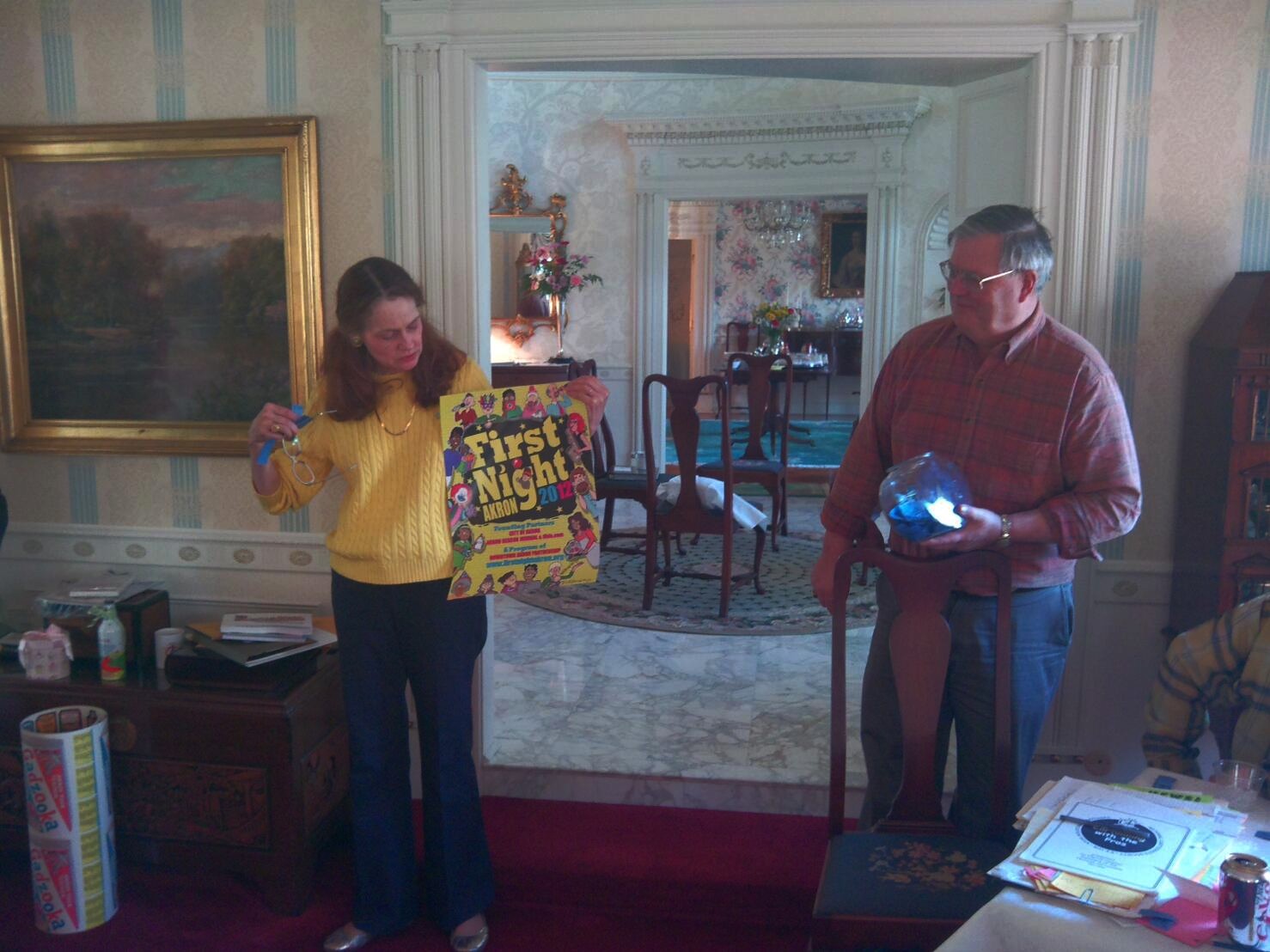
Chapter Chair Polly Keener shows an original poster by Don Peoples about to be given away during the chapter raffle.  That's Polly's husband bib pulling the winning numbers.

Chapter Chair Polly Keener shows an original poster by Don Peoples about to be given away during the chapter raffle. That's Polly's husband bib pulling the winning numbers.

As you know form a previous post, I recently attended a meeting of the NCS Great Lakes Chapter. It was nice to get together with fellow cartoonists.

One of the highlights at these meetings is the give-a-way of door prizes.  It’s done to raise money for the chapter to pay for future functions.  Cartoonists usually donate original cartoon art or comic books or even rare books.  If a cartoonist donates a comic book, it’s usually one featuring their cartoons.  And, custom dictates that they sign the book.  A nice added bonus.

I’ve won my share of t-shirts and coffee mugs, plus some really nice original comic strip art and signed cartoon books.

Well, I’ve always wanted to donate a Linux computer as a door prize. It’d be easy enough. All do one need do is locate a used Windows computer that has some decent performance specs and simply install Linux. Then, add a monitor, keyboard, mouse, etc. to complete the package.

Or, obtain a used laptop or notebook computer and install Linux on that.

I haven’t had the chance to scope out used computers lately, so I’ve placed this plan on the back burner.

However, it dawned on me that I could quite easily donate a brand new Linux computer, and, at a reasonable cost.

Don Peoples displays his raffle prize.  A miniature leg lamp replica inspired by the movie "A christmas Story." (Yes, that's a stuffed tiger behind Don.)

Don Peoples displays his raffle prize. A miniature leg lamp replica inspired by the movie "A Christmas Story." (Yes, that's a stuffed tiger behind Don.)

How?

By giving a Kindle.

That’s right! Kindle uses the Linux operating system! Linux 2.6.26 to be exact!

I went up to amazon.com and ordered the Kindle 4, with Wi-Fi, 6″ E Ink Display, and Special Offers & Sponsored Screensavers. . So, for less than $100.00, I was able to give away a Linux computer. (And, the Kindle comes with a web browser!)

And congratulations to chapter member Ed Black!  Ed won the Kindle!


Share

This past weekend the National Cartoonists Society Great Lakes Chapter gathered to vote on the newspaper illustration category.

All members take the voting process quite seriously. I can tell you that entries are thoroughly reviewed by chapter members. And in the past, we’ve had our share of discussions anbd debates over cartoon work. But, on the lighter side, there is the usual ribbing and joking during the process. After all, we’re cartoonists!

In the above video, veteran cartoonist (and resident curmudgeon) Roy Doty humorously gave his opinion on how the voting process should proceed.

Roy is a terrific cartoonist and and really wonderful guy. We all look forward to seeing him at chapter events.

For more on Roy and his work, visit www.roydoty.com. There’s also a terrific blog article here.


Share

Here’s a quick little video on cartoon “shading.”  Adding some line work to your cartoons can dress them up and even add that little bit of extra “punch.”

It’s a sort of “eye candy” kind of thing.

Simply by adding line shading, you can create a fun effect that draws the reader in a bit.  I try  to do it as much as possible with my cartoon work.  It’s a nice change of pace from simply filling in areas with black ink.  The extra thin and thick lines also add a bit of character and style to the drawing.  Plus, it’s a lot of fun to do!

(As usual, this video was created using my Transformer Prime tablet.)


Share