On Tuesday, I talked a little bit about scanning my comic strip.  Back in 2009, I blogged on OneClickLinux.com about buying and setting up a new scanner.  I thought it’d be helpful to re-post the info here.
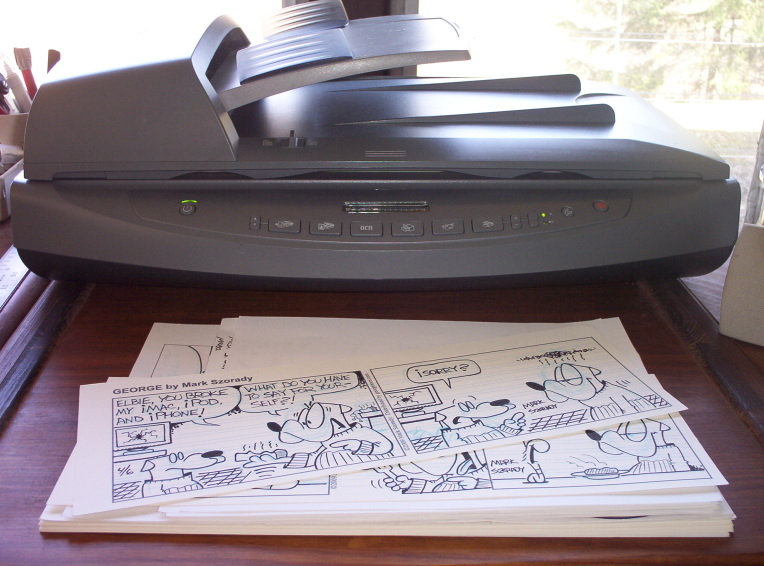
The HP Scanjet 8250 Scanner that I use in my studio.

My new (actually refurbished) scanner arrived last week and I’ve been putting it through the paces here in my studio.

It’s an HP Scanjet 8250. It has an automatic document feeder and a flat bed scanning area of 8.5 x 14 inches.  This larger scanning area comes in handy because I draw my comic strip 4 inches by 13 inches.

In a previous post, I was looking at modifying the size of my comic strip template and drawing it a bit smaller to accommodate my Umax scanner.  I used Scribus to design the template and was all set to go when a Freespire community member pointed out how this HP scanner was at geeks.com for only $65.00.  I jumped on the deal! (Note: Freespire is no longer an active Linux distribution. I have since swiched to PCLinuxOS)

The scanner is wonderful!   And the really great thing is, Xsane supports it. All I had to do was pull the scanner out of the box, plug in to my USB port on my Linux system, power up, and I was scanning!   No software or drivers to install.  Xsane was already in place to handle the scanner.  (and Xsane and Kooka both support the ADF feature!)

Here’s the neat thing.  I’ve been using a Umax scanner in Linux for the last year or so.   All I did was unplug it, then plug in the HP scanner and Linux did all the rest!   The HP scanner was up and running in an instant!

Each scanner just works in Linux!  It’s true plug ‘n play.

Since I  run a rack system, I plugged in windows XP to see how the HP scanner would fare compared to Linux.

30 minutes later, I was still installing drivers and software. I had to restart the system a couple of times, as well.

After finally getting all the necessary software installed (some would not install.  I have to check with geeks.com for another disk),  the scanner worked nicely.   But, it did take about 30-40 minutes for software and drivers to install.

So, I’m quite happy with my new scanner.  It allows me to scan larger pieces so I can continue to draw my George comic strip 4 inches by 13 inches.

And Linux and Xsane support this scanner, so set up was a snap!  I plugged in and was scanning in less than 30 seconds!

Get Linux!

(Editor’s note: This article by Mark Szorady contains material from a blog post that previously appeared on oneclicklinux.com.  We felt it would be informative here on georgetoon.com.)


Share


Tuesday evening, I sat down to get a little work done.  I was updating my Linux computer system and hoping to work on a few George comic strip ideas.

It’s warming up here in Northeast Ohio, so I opened up a window.

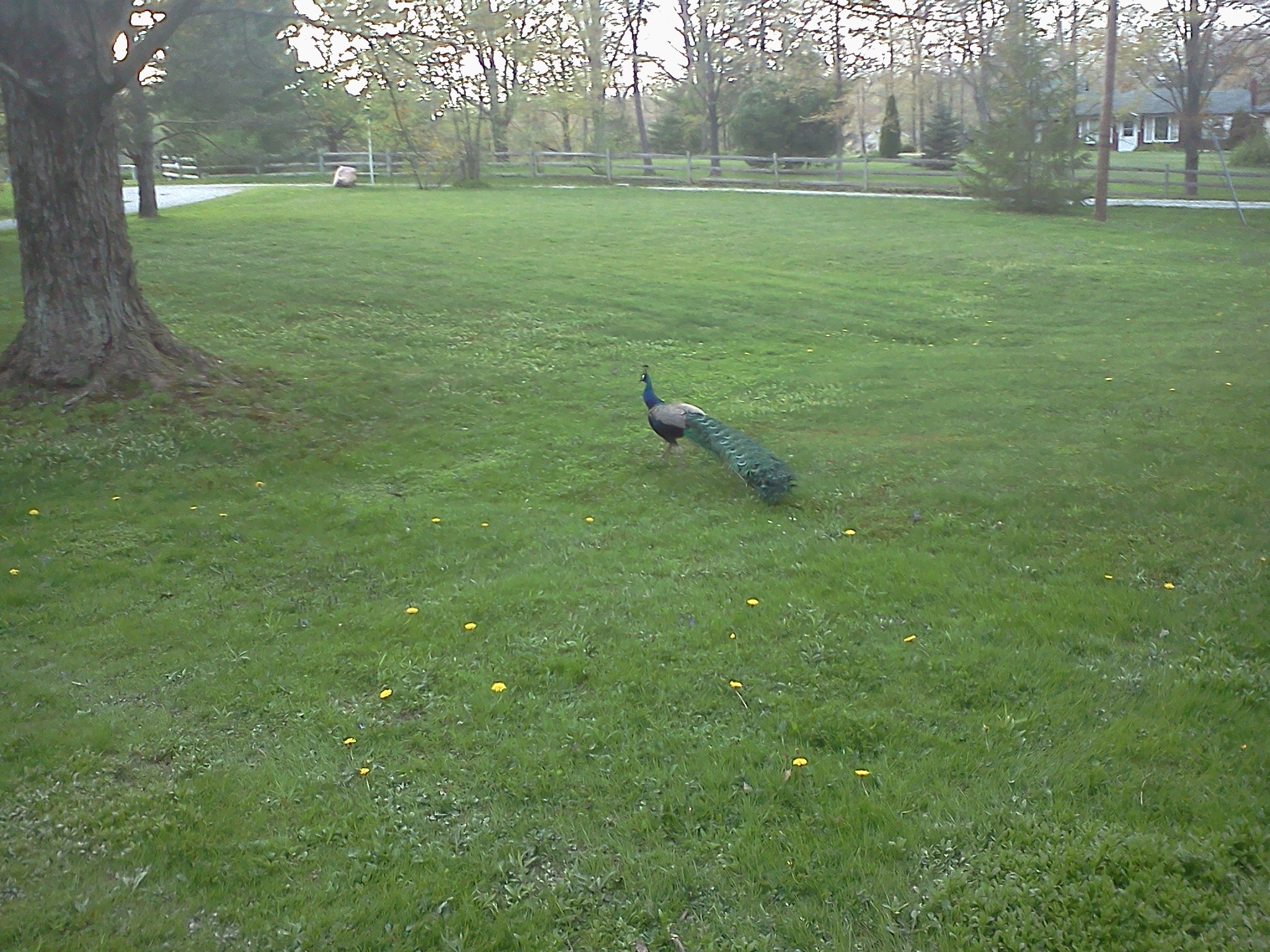
About three to four minutes after I opened the window, I heard a large ruffling sound.  I looked up from the keyboard.  Just out the window, I saw a large peacock!  Yes! A life-size, NBC, full-color peacock!

PeacockInYard

Click to enlarge.

I have no idea how it got here.  I shot some video and snapped a few pictures. I was hoping for its tail to fan open, but that never happened.

I realize I live way out in the sticks, but in all the years I’ve been out in this neck of the woods, I’ve NEVER seen anything like this before.

Sure, we see our share of woodpeckers, hawks, ducks, geese, possum, racoons, beaver…you name it.  But a peacock?

Ironically, just today, I was telling a friend that nothing new and exciting has happened.  It’s been the same old, same old.

I contacted the the Ohio Ornithological Society and they wrote back saying, “Thanks for the photos, Mark. Peacocks escape sometimes from farms or zoos or private collections, but they’re not found in the “wild” of Ohio–not that there’s much wild in Ohio these days! Interesting critter to have wandering the neighborhood. Likely someone is missing it”

So, there you have.  An escaped peacock.

There’s a comic strip idea in there somewhere.


Share

Here’s a quick look at how I draw George. Believe it or not, I did this in one take.  So, I may have fumbled a word or two.

Just a little bit more background regarding this video. I mentioned the Sky Blue 740 1/2 pencil. Specifically, it’s a Berol Verithin Sky Blue 740 1/2. I don’t think it’s made under this label anymore.  At least, I can’t find them. I’m down to my last two.  So, I need to get some pretty soon. But, I’m thinking if you get a number 740 1/2, it’ll be the same pencil.

I do use a regular non-photo blue pencil. But, depending on the paper I use and the angle of my drawing table light, the lines don’t always appear as crisp as I’d like. The 740 1/2 is just  a little bit of a darker blue while still having a non-photo blue quality.

Why the non-photo blue pencils?  Well, it saves time.  I don’t like to spend extra time erasing pencil lines after I’m done inking.  Since the art is being scanned and I work on THAT as my final image ( I sometimes tweak things digitally using Gimp), I simply set the scanner to read black and white line art.  The blue lines drop out.  Plus, people think it’s pretty neat getting an original with all the sketchy blue lines.


Share
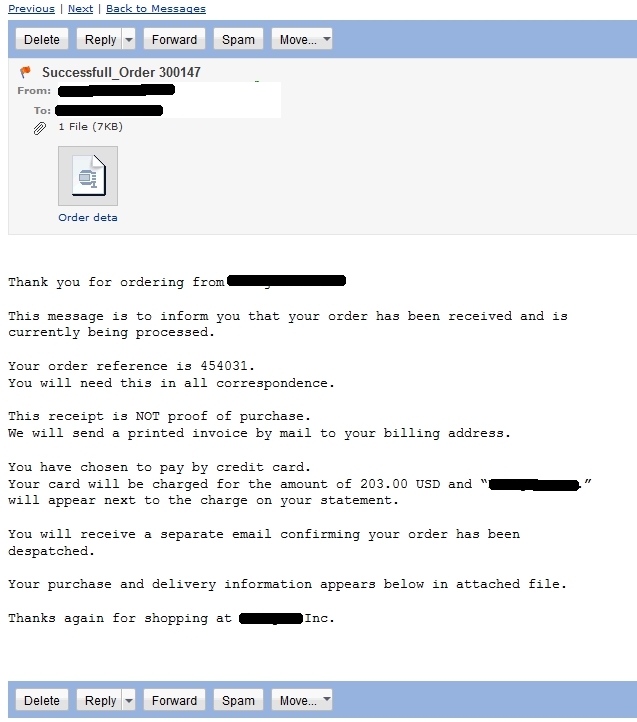
This is the email I recently received. The email address and companyinformation has been purposly blacked out to help protect innocent companies.

This is the email I recently received. The email address and company name used in this Phishing scam have been purposely blacked out.

Another Phishing scam has turned up.

This one poses as a credit card purchase.  A fake confirming order comes in your email with an attachment.  The attachment is a zipped file.

When you download, unzip and open the “document” to read the details, your system becomes infected.

I know about this scam firsthand because it recently turned up in my email box.

At left is the email I received. I blacked out the email addresses and company names.  Unfortunately, these email scams are all pretty much the same in that any well-known company’s name can be dropped in order to disguise the email and its nefarious payload.

What’s in the attachment?  Well, as detailed, here, “The file actually needs to be renamed first as Order details.zip to be able to extract Order details.exe.  The file is detected as Trojan-Downloader.Win32.Injecter.fse by Kaspersky and poses as a PDF document. You should never trust a file by its icon, always pay attention to the file extension instead and make sure that Windows Explorer is set to show file extensions.”

This website goes on to confirm that, “As stated on (the Company’s) Facebook page, (The Company) does not send order confirmations or other unsolicited requests that require you to open attachments. If you did receive such an email, note that there are no orders or any transactions between you and (The Company).”

So, once again a legitimate company is being used by the Phisheing scammers to try an infect computers and possibly steal personal information. (Again, I’ve tried my best to omit the company name.  They are an innocent party in all this).

Whenever you receive an email tht you simply do not recognize, give it a closer look.  For instance, with this particular email, the thing that tipped me off was the email subject heading, “Succesfull_Order  300147.”   The sender added an extra “L” to the word successful.

So, when in doubt about any email, always SEARCH FIRST!  Do not download suspicious attachments.  Regularly update your anti-virus software.

And lastly, get the Windows target off your back!  Switch to LinuxLinux is immune to Windows’ viruses, spyware, Trojans, and other nasty computer infections.


Share

Back in the 1980s, there was a lot of heavy competition taking place between computer manufacturers.  Companies were coming out with faster, more powerful systems.  They’d play up the cutting edge graphics of the day and advertise a lot of the “eye candy” features.

The Commodore 64 was one computer that really highlighted its graphics and gaming capabilities.

Well, nostalgia fans, The Commodore 64 is back! True, it won’t have the same hardware under the hood, but you can have the same look and feel of the one you may have owned when you were a kid.

Their web site states:

“Commodore USA, LLC, recently secured licensing rights to both the Commodore and AMIGA brands and will be releasing a series of all-in-one computers, desktops, notebooks and tablets in the coming years and months. We believe these much loved icons of the golden age of computing continue to have value and we will endeavor to produce competitive and innovative products in a manner befitting their heritage. We are excited to bring back the Commodore 64 (the greatest selling computer model of all time) as a modern keyboard computer suitable for every day usage. It also gives us great pleasure to reboot the famous AMIGA line of computers with the cutting edge technology you would expect in today’s personal computers.”

I remember when the Commodore 64 was all the rage back in the 80s and part of the 90s. but it was the next generation of Commodore computer, The Amiga, that really caught my attention. that’s the one system I always wanted.  Check out the above videos to see what the Amiga computer was doing back in the early 1990s!  Really amazing stuff!

Allow me to relate a personal story.  It’ll give you an idea of  how sophisticated the Amiga was back then.

Back in 1999 or 2000, as Chairman of the NCS Great Lakes Chapter, I set up a tour of Character Builders, an Ohio based animation studio.

Since the late 1980’s they had been doing a lot of hand drawn animation for Disney and other animation studios. Disney and others would farm out sequences to smaller studios in order to meet production deadlines.

Character Builders worked on the animated films Space Jam, Rover Dangerfield, Bebe’s Kids, and a bunch of others. They’d animate ten minutes of Space Jam or five minutes of Rover Dangerfield, 8 minutes of Bebe’s Kids, etc.

But, as time went on, they got more and more involved with bigger projects.

Jim Kammerud, CB’s founder, even directed the Disney direct to video Dalmations sequel, 101 Dalmatians II: Patch’s London Adventure. Jim is an extremely talented guy!  And a really nice, approachable person, to boot.

Anyhow, here’s the point, during the tour, I asked Jim about computer technology and what they were using to help and streamline production. They specialized in hand drawn animation, but I figured they must have been digitizing their pencils to check accuracy, etc.

Sure enough, they were using computers to do their pencil tests and other tasks.

As I recall, Jim said they had used the Commodore Amiga.  It was fast, lightweight, and just brilliant (for the 1990s). Jim commented back then that files were high rez and small in size. Very easy to transfer from station to station.

But, at the time of the tour, Commodore had gone out of business. CBs could no longer find hardware to keep the systems running, so had to move to other computer systems.

I recently contacted Jim and he confirmed, “Mark, we used to use Amiga machines.” he went on to say that, “…that stuff is so crazy old and out of date it would be ludicrous to use it, even for nostalgia’s sake. A super cheap 5 year old Mac bought on ebay is still about 3 million times more useful.”

Very true.  Computers today are light years ahead of what was being used back in the late 1990s.  But, as stated earlier, the newer Commodore computers will rely on today’s hardware.

And, the new commodore will be running Linux!

“Our new Commodore operating system, will be a unique Commodore and AMIGA centric Linux distribution, that will grow over time into something far greater. Commodore OS will not be your run of the mill Linux distribution. Every consideration will be given to retaining the look and feel of the classic Workbench environment, however there are limits to what is possible at this time, and we do not seek to re-invent the wheel. Our sights are set on creating an operating system environment competitive with the likes of those offered by Microsoft and Apple. An operating system that is inviting and accessible to new and old Commodore owners featuring modern day paradigms. With the inclusion of a plethora of the best open source games and applications, we intend to champion the open source movement and show the world what open source is capable of.”

Well, there you have it.  The new Commodore.  New hardware, running a Linux distribution, and cashing in on the nostalgia craze.

Oh, and there are folks out there who’ve kept their Amiga computers running.

└ Tags: , , ,

Share