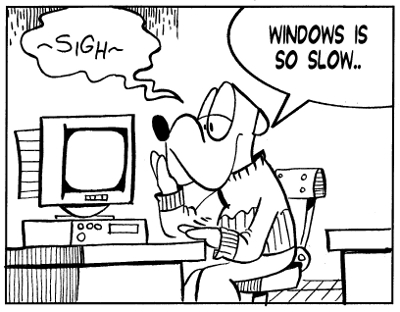
over time, winodws slows to a crawl.

Over time, Windows slows to a crawl.

Every time Windows boots up some programs automatically load up at the same time, and many of them are ones that you don’t even know are running in the background. Over a short period this number can increase to 30-40 programs, which is enough to slow even the newest of computers”

So goes the pitch of a recent email ad that I received in my in-box.  These folks are trying to sell a product which “makes your computer start up much faster by analyzing your Windows startup sequence and giving it a de-clutter.”

It goes on to talk about how revolutionary it is and all the wonderful things it will do for a Windows computer.  And the asking price is only $19.99.  And, I have to be honest here.  When I used Windows, I gobbled up software from this company.  They make some outstanding Windows software.   I’m not knocking them.  Their software works as advertised and theyare a highly reputable company.

However, I am knocking the fact that you need to have such a program on your Windows system.  And another program, and another, and another…to correct all the problems Windows develops over time!

Look, if you really want to make sure your computer boots fast and all your programs launch fast, simply get Linux.

For 25 cents, Linux will start fast!  Linux will  run fast, stable, and secure.  Linux will do all this and more.

Now, how did I come up with the 25 cent price point?  Simply buy a spool of CD-Rs, like the Maxell 648200 700 MB 80 min CD-R (100 Pack), download Linux, and burn the ISO to a single disc.  One disc from this spool costs 20-25 cents. 25 cents for Linux  beats 20 dollars for the Windows software!

And with Linux, you’ll be free of Windows viruses and malware.  AND you won’t ever have spend hundreds of dollars for Windows again!

Slow computer problem solved.


(Editor’s note: This article by Mark Szorady is a reprint from a blog post that previously appeared on oneclicklinux.com. With the start of the New Year, we felt it would be informative here on georgetoon.com.)


└ Tags: , ,

Share

When the New Year’s Eve party is over and it’s the next morning, you’ll need waking up.  Grab that good, strong cup coffee in the “I Knew That” New Year’s coffee mug. Start off the year with a good “jolt of Joe” in the coffee mug you’ll use ever day in 2011!  It features the comic game panel “I Knew That” with a festive cartoon design and New Year’s question (and answer) that will stimulate the brain during your wake up routine!  Get several and share with your guests!  Order today so you’ll have it for the first day of the new year!

(Hurry!  There’s an after Christmas sale going on!  Save up to 50%!  Simply use the code ZAZZLEACSALE).


Share
Tron Lightcycles

Tron Lightcycles

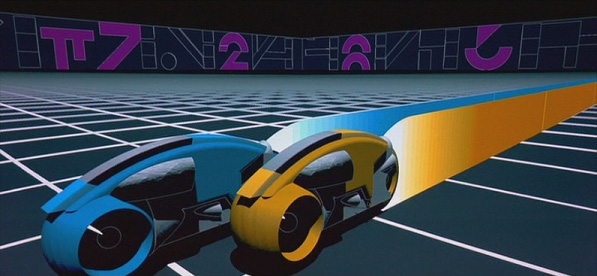
Back in 1982, Disney released a groundbreaking movie called Tron.  It was the first time (that I can remember) that a film extensively utilized CGI to bring the story to life.

Well, I loved the film.  Here was something that upped the ante when it came to special effects and visuals.  Up to that time, the only thing audiences saw were the kinds of effects featured in Star Wars and films like it. And while those visuals were quite impressive, the film makers of Tron used every bit of computer technology, film technology, and animation processes available at that time to create a world no one had ever seen before.  A world inside a computer.  Tron brought to life Light Cycles, Flying disks, and other computer elements.  And the final result was stunning!  It was cool.  The film was a big reason why I embraced the computer.  In those early days, I saw the computer as a tool to help me create cartoons and other cartoon content.

Tron’s filmmakers were really thinking outside the box.

In the same way, Linux developers and community members are constantly thinking outside the box and improving the OS.  Linux offers so much more.  Why settle for the same mundane Windows experience when you can be using Linux?  With Linux you can customize the desktop, look, and feel to your own liking.  Once you have Linux on your desktop, it’s yours.  You own it.

You can contribute to Linux in a variety of ways.  You can develop code for it, write about it, advocate for it, help others it Linux, etc.  You can share Linux with friends and family.  Simply burn a Linux disk and pass it on to family, parents, friends, faculty, students…everyone!

Simply explore the many Linux distributions available, pick one, and try it out.

Right now, I’m using PCLinuxOS on my laptop and have just added it to my desktop.  It’s cutting edge, has all the progams I need, supported by a terrific community and well, everything works!

So, after you get Linux installed on your computer, give the MPlayer Quicktime Plugin a test drive by watching the trailer for the new Tron sequel, Tron Legacy. Or test out how great Flash works in Linux by watching the trailer on YouTube.com.  Like Linux, this film is cool raised to a new level!

Tron Legacy opened #1 last weekend.  And it’s in Disney Digital 3D.  Linux has a cool 3D desktop!

(Editor’s note: This article by Mark Szorady is a reprint from a blog post that appeared last year on oneclicklinux.com. Given that Tron Legacy opened last weekend, we felt it would be both informative and entertaining here on georgetoon.com.)


Share
Even Santa needs to update his records and create a database!

Even Santa needs to update his records and create a database!

I’ve maintained a Christmas mailing list for several years now.

Each year, I dust off the database and  update it.  After I’ve made sure all the addresses are current, I move to the next step of printing out my mailing labels.

In years past (during my Windows period), I used MSWorks to generate my mailing labels. MSWorks did a fine job and it was quite easy to use.  In a couple of clicks, I had all the mailing labels printed out from the database.  MSWorks even allowed me to change font type and size so the entire address would be on the label.  (Sometimes you need to add an apartment number,suite number,  business title, etc.).

I then moved over to a program called  PagePlus by Serif. PagePlus is a desktop publishing program that also integrates database capabilities.  So, I could not only design my Christmas card in PagePlus, I could import the mailing list database and output fully addressed envelopes or labels.  I liked PagePlus.  It was also quite easy to use.

Rather than spending a lot of money on MSOffice, I recommend getting either MSWorks or an earlier version of PagePlus.   The last version I had was PagePlus 11. But, I continued to run PagePlus 10.  Version 10 had all the features I needed.

You can get these software applications on Ebay at affordable prices.  I saw an older version of MSWorks for as little as 10 bucks!  PagePlus, depending on the version, can be had for around $30.00. The folks at Serif even offer a free starter version of PagePlus at freeserifsoftware.com.

Amazon.com also has some great deals. Serif PagePlus X4 is under $40.00. Similarly, Microsoft Works Suite 2002 is also affordable, priced under under $30.00.

If you’re a Windows user, and are looking for something to handle a database (or desktop publishing or both) I recommend either program.

Now, if you’re like me, and moved over to Linux, your database problem was solved by using OpenOffice.  Plus OpenOffice is absolutely free!  You can download a full version, for free, at www.openoffice.org. (And yes, it’s available for Windows and Mac, too!)

Openoffice’s database program is called Calc.  Calc allows you to create a database or import a delimited file.Once you have your database created, you use OpenOffice writer to layout and crete mailing labels. the steps ae pretty easy. Crete your database, open Writer, create a new label, define your fields,create the label template, then print the labels.

A great tutorial on how to do this is located here. (This is the site where I first learned how to use OpenOffice to create and print labels. the site is an invaluable resource.)

So, now you’re ready for next Christmas!  Update your mailing list now, create a database, and file it away on your hard drive (and make sure to backup to an external drive). Then, in 2011 when you need to send those Christmas cards, you can pull out your trusty database and with a couple of clinks, in either Windows or Linux, print out all your mailing labels in a flash!


Share
This is how I start. I sketch with a non-photo blue pencil and then ink over the lines. The drawing gets scanned in Xsane and then imported into Gimp where color is added.

This is how I start. I sketch with a non-photo blue pencil and then ink over the lines. The drawing gets scanned in Xsane and then imported into Gimp where color is added.

“How’d ya do that?”  I get this question as often as I get , “How do you get your ideas?”  And, of course, the first question refers to the kinds of digital tools I use to help produce my cartoon features and images for my blog posts.

Since moving over to Linux, I’ve been using the graphics applications the come with this wonderful OS.  And I use them exclusively to produce all my cartoon features.  The Gimp (photo editing) and Scribus (Desktop publishing), especially, do a great job in helping me create my cartoon features for newspapers and other print publications.

In addition to my print features, The Gimp and Scribus both proved quite handy when I recently prepared a special blog post.

If you’re a reader of this blog, you already know that, this year, I decided to offer a George Christmas ornament to all my readers.  I used the Gimp and Xsane (the Linux scanning utility) to prepare all the art.  I drew a festive George complete with Christmas Santa cap.  Using Xsane, I scanned it at 600 DPI and brought it into Gimp.  (For the uninitiated, Gimp is the Photoshop equivalent in the Linux world.)

Once I have it Gimp, it’s easy to add all the color.  The Gimp is as easy to use as Photoshop or any other photo editing software.

Since I know I’ll be using this art in Scribus, I usually save my cartoon images as .png image files.  Doing so allows me to give them a clear background.  When I bring the .png file into Scribus, I can then make use of the clear background to layer over other images.  Scribus also allows me to drop a color background into that clear area.

Now that the art is complete in Gimp, it’s then a very simple matter of importing it into Scribus and laying it all out on the page.  Scribus is a really  powerful desktop publishing software app!  It has all the tools you need to layout a newsletter, magazine page, greeting card, web publication…whatever kind of print publication you need!

For the ornament, I used the shape tools to create the round ornament with green background field.  I used Scribus’ text tools to drop in the text.  Scribus has a nice drop shadow tool which will add that effect to the text.  It’s really very handy.  After I get it all laid out, I then export as a PDF and upload that file to my blog.  I linked to the PDF file so blog readers can now, through the click of the mouse, get a free paper George 2010 Christmas ornament!

Again, you can get the ornament, too, by visiting this blog at the following page:  http://www.georgetoon.com/blog/an-early-christmas-gift/

If you want to give someone a great gift this Christmas, give them Linux! It’s free, powerful, stable, secure, and fits just about any computer system. And all the software mentioned in this article (along with hundreds of others) is absolutely free with Linux!  Many are even pre-installed.  When you install Linux, you install all this great software at the same time!

Merry Christmas and Happy New Year!


Share