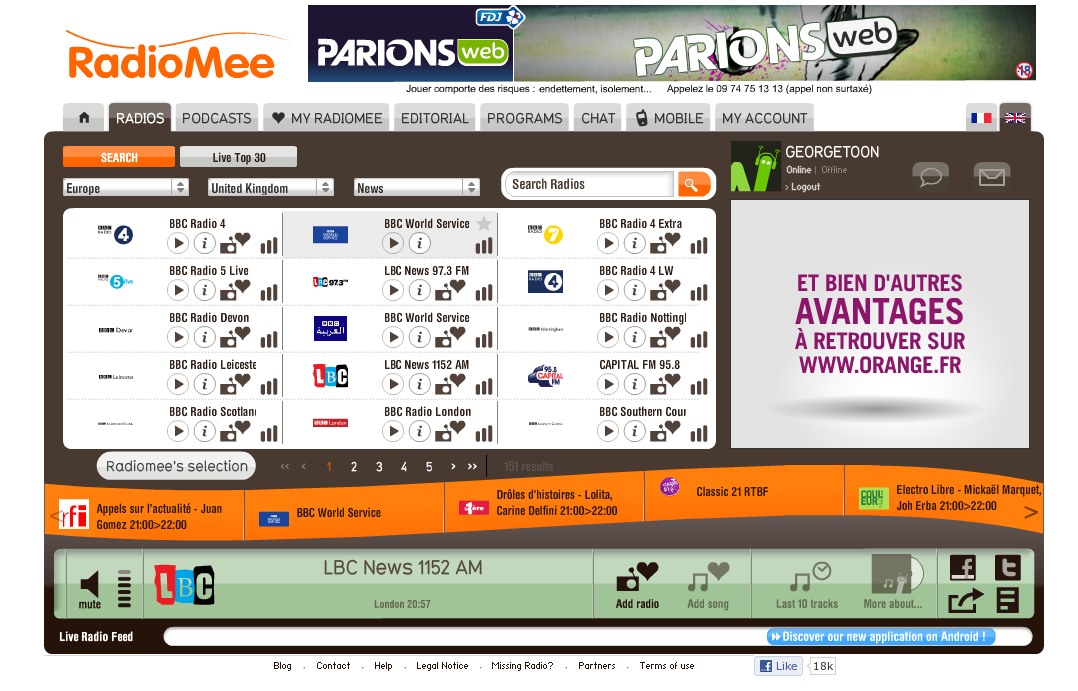
The RadioMee player

The RadioMee player

The other day, I blogged about using the Google Chrome browser (Chromium browser in Linux).

Well, I’ve been suing it more and more since then. I’ve installed all kinds of free applications.  I’ve got photo editing, AutoCad, financial bookkeeping, word processing, entertainment, games… I gotta tell ya, it’s pretty darn slick!

As you know, I love radio. I listen to internet radio on a table top model (and it makes a great Chritmas gift!)

But internt radio is also available via your internet browser and the web.

Google Chrome has a wonderful radio app called RadioMee. It installs in a click in a few seconds. Once you register, you can then surf over 10,000 radio stations from around the world.

You can also listen to over 6,000 podcasts and watch the latest news from AFP. You can also check out the weather and your horoscope.

Right now, I’m listening to LBC out of London, England!

The interface is quite friendly and you can quickly find your station by continent, country, and genre.

Whether you run Linux, Mac, or Windows, download Google Chrome (or Chromium) and give it a go!  You’ll love RadioMee and many other apps available in the Google Chrome Web Store.

I’m beginning to think that Google Chrome really is a better browser.

(I do have one reservation about syncing to the Google Cloud.  I like it, but I’m also a bit apprehensive of it.   I need to research this a bit more and will report later.)


Share

More and more, Google Chrome is becoming my default browser.

The above video is just one reason.  However,the really big thing I noticed whenI first used Chrome was how fast it launched and loaded.  Wow! it’s nearly instantaneous!  I click, and it’s immediately running on screen.

As their web site points out Google Chrome features:

Fast start-up
Google Chrome launches in a snap.

Fast loading
Google Chrome loads web pages quickly.

Fast search
Search the web right from the address bar.

Some Chrome apps that are installed in my Chromium browser.

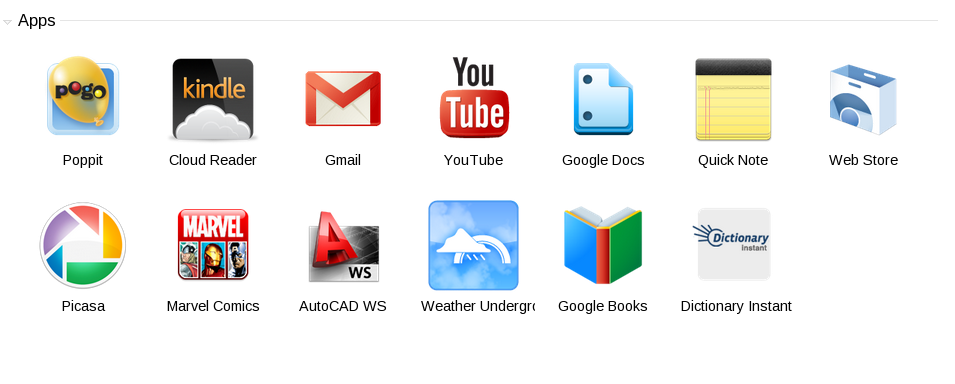
Some of the Chrome apps that are installed in my Chromium browser.

Plus, you can install thousands of free applications and extensions.  they all launch in a snap and you can sync them across computers. I run note taking apps, Google Docs, photo editing software. since starting this blog post, I’ve also installed digital clocks, weather apps, and a calculator with converter.  At left, you can see a screen shot of some of the apps I run in Google Chromium.

Did I say “Chromium” and not “Chrome?”  Well, there is a difference…and not quite a difference.

In short, Chromium is the open source counterpart of Chrome.

Both us the same code base and features and apps are identical.  If you’re running Linux, you’ll have Chromium available in your distro’s repository  if you’re running Windows, Mac, and  select Linux distros, you can download and install Chrome.

But with Chromium, anyone can contribute to its features, apps, etc.

It’s fast, free, and feature rich!  Give Google Chrome a try.


Share

I own a Kindle. Lately, I’ve been borrowing books from the local library.

It’s a simple process. Borrow the book from the library using the Overdrive website. For me, it’s located at the Ohio Ebook project, powered by Overdrive.

Once you find the Kindle book you wish to check out, you add it to your cart. Complete the checkout process and the Ebook is then sent directly to your amazon.com account where you download it to your Kindle via Wi-Fi or USB.

Well, I was speaking to some friends who both own the Barrnes & Noble Nook Ebook reader. In order for their devices to borrow books from the library, they are required to download and install a separate program to their computer.

So, I’m glad I bought the Kindle. It’s more Linux friendly. No need to download a software program (read that as Windows and Mac only). I can borrow books on any computer or tablet provided I have an internet connection.

If you’re thinking of buying an Ebook reader, I highly recommend the Kindle. You can get one simply by clicking the link below.


Share

logo-fsf.orgMicrosoft is trying to change the way computers work. If successful, it could mean that you may never get a chance at using Linux and other terrific free software.  This is being done in the name of something Microsoft calls “Secure Boot.”

Visit the Free Software Foundation’s web site.  Please take a moment to read the truth behind “Secure Boot.”  And “Please add your name to the following statement, to show computer manufacturers, governments, and Microsoft that you care about this freedom and will work to protect it.”


Share

Nature sounds player. Mix your own compositions of various nature sounds and listen to them for free

A friend on Google+ (thanks, Felipe!) shared a really neat website.

It’s called Nature Sounds For Me.  It allows you to use their online audio mixer to compose your own nature sounds! you can then save the link for futue play or download the audio stream as an Open-source .ogg file.  You can then play this file in your favorite audio application.

Nature Sounds For Me is also available on the iPhone app store.


Share