gulliver thumbnails

Thumbnail images for the Internet Archive's free Gulliver's Travels download.

Recently, a fellow cartoonist shared a Popeye video on his Facebook wall.  (However, I don’t own the copyright, so I’m afraid I can’t post here.  If you Google “Popeye,” many videos will come up. )

The particular video shared was from a 1938 Popeye cartoon called Goonland and produced by the Fleischer animation studios.
Seeing the video reminded me of how very creative and inventive the Fleischer animation studio was back in the 1930’s and 40’s.

It also reminded me of the first time I saw Fleischer’s Gulliver’s Travels.

An area film professor had a Saturday night show on local television in which he screened forgotten/classic films. One lucky night, I happened to tune in when Gulliver’s Travels was shown. I was probably in my early teens.  I can still remember being absolutely wowed by this film!

The Fleischer Studio was doing technical/creative/quirky things none of the other studios would not even attempt. For instance, if you happen to watch the entire Popeye Goonland cartoon, make sure to look for a very creative little twist that probably surprised 1930s audiences.  It surprised me even today.

Technically, the Fleischer studio was on the cutting edge of the day.  They developed a very ingenious camera system. It was called the Stereoptical camera, and  gave certain scenes a 3D feeling of depth.

While a student at Ohio State, I took an animation and film class.  During one class, a Fleischer Popeye cartoon was shown.   This particular Popeye short made use of the Stereoptical camera process.  After seeing it, we all asked the instructor if an early computer of some sort was used to create the 3D quality of certain scenes.  It really is quite amazing to see the camera in action and how it created this illusion of depth!

If you want to see more terrific animation from this wonderful studio, I recommend the following DVDs:

Gulliver’s Travels (Fully Restored 60th Anniversary Limited Edition) This is a terrific restoration of Fleischer’s first full length animated feature.  The DVD also features a documentary on the studio where you can see them use the Steroptical camera system while working on a Popeye animated cartoon.

Popeye the Sailor: 1933-1938, Vol. 1 If you want to see some amazing Popeye cartoons, fully restored, then this is the one DVD to get!  It also includes the notable Popeye color two-reeler short, Popeye Meets Sinbad The Sailor. Again, this cartoon makes extensive use of the Stereoptical camera.

The Complete Superman Cartoons – Diamond Anniversary Edition the Fleischer studio was also known for producing some of the bet Superman cartoons.  This DVD collection from Bosko video contains all suprman shorts and are fully restored.  They look gorgeous!  And many of these animated Superman shorts are so well done, and used some of the most cutting edge technology of the day, that they still hold up even by today’s standards.

So, if you’re looking for some great family entertainment, pick up any or all three of the above DVDs.  You’ll have a fun time and will simply marvel at the wonderful creativity and artistry that was Fleischer Studios.

In researching this blog post, I learned that Fleischer’s Gulliver’s Travels is in the public domain.  So, it’s possible to legally download it for free. You can do so at the Internet Archive. Let me point out that the Gulliver’s Travels (Fully Restored 60th Anniversary Limited Edition) is still superior in picture quality.


Share

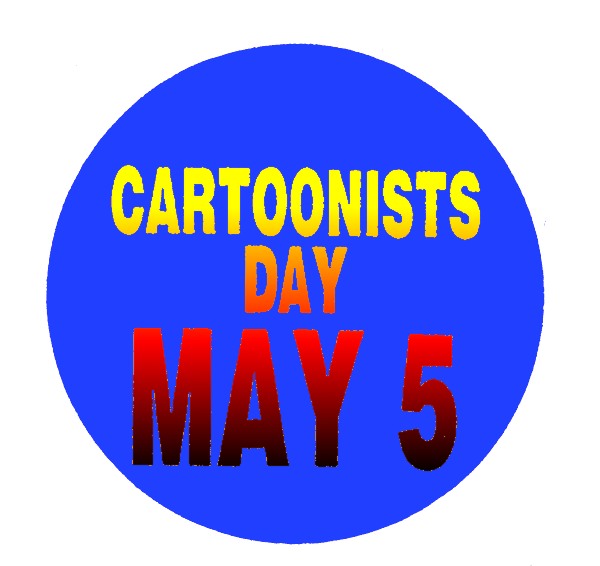
cartoonist dayMay 5th is Cartoonists Day.  It’s a day that draws (sorry ’bout the pun) attention to all who doodle, draw and cartoon their way through life.

Comic strips and cartoons are a uniquely American art.  Cartoons have made an amazing impact on our popular culture and society in general.  Cartoons and cartoonists have shaped public opinion, aided education, promoted literacy, and entertained audiences worldwide.

If you look around, you’ll see cartoons everywhere teaching kids, selling products, informing the public, and  much more.

If you want to learn more about cartoons and cartooning, and see a wonderful history of cartoons through original art and other displays,  plan a visit to the Billy Ireland Cartoon Library & Museum in Columbus, Ohio on the campus of The Ohio State University.

Cartoonists Day also sometimes coincides with Free Comic Book DayFree Comic Book Day is the the first Saturday in May.

As the web site states, “Free Comic Book Day is a single day – the first Saturday in May each year – when participating comic book shops across North America and around the world give away comic books absolutely FREE* to anyone who comes into their stores. *Check with your local shop for their participation and rules.”

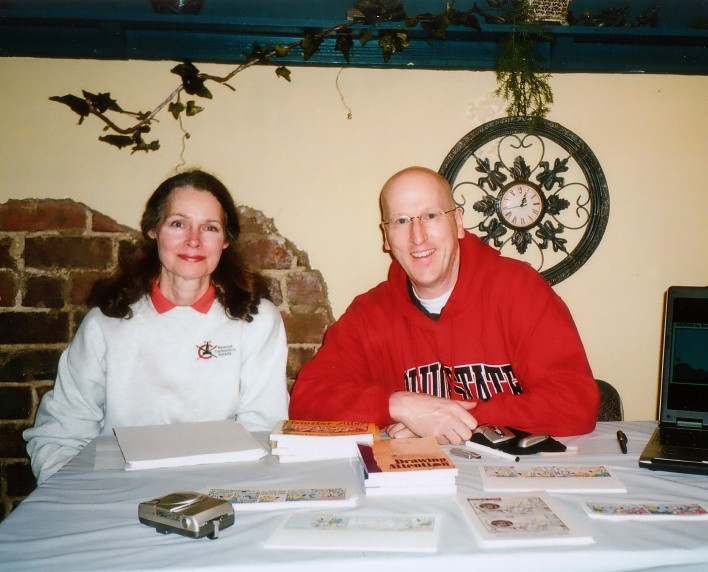
Polly and Mark at Free Comic Book Day at Toys Time Forgot

Polly and Mark at Free Comic Book Day at Toys Time Forgot

When Free Comic Book Day rolls around, I sometimes get invited to a local comic book shop where I spend the day drawing George cartoons and talking with comic book fans.  it’s a lot of fun and really nice to get out for a while. Plus, the weather has finally warmed up.

A couple of years go, my cartoonist friend Polly Keener and I spent the day at a terrific comic book/toy store called The Toys Time Forgot.

It’s at these events that I bring along my Linux laptop/notebook and set it up to display a slide show of all my cartoons (and Polly’s).

I used DigiKam to create the slide show. It’s a terrific photo management program and worked equally well when I imported all my cartoons.

I have to tell ya, folks are always really impressed with Linux! When the Operating system was in action, the first thing they asked was, “What is this? Is it Windows? ” Their own question cast doubt about it being Windows because they could see that Linux was doing things a bit differently from Windows.

It looked cleaner. It looked cool. They also noticed that there was a greater stability, a familiar interface, ease of use, and lot less strain on system resources.

Applications booted quickly! When I showed all the features of multiple desktops, free software (LibreOffice, Gimp, etc.), full customization, and other goodies, many commented that they wanted to toss their Windows system and get Linux ASAP!

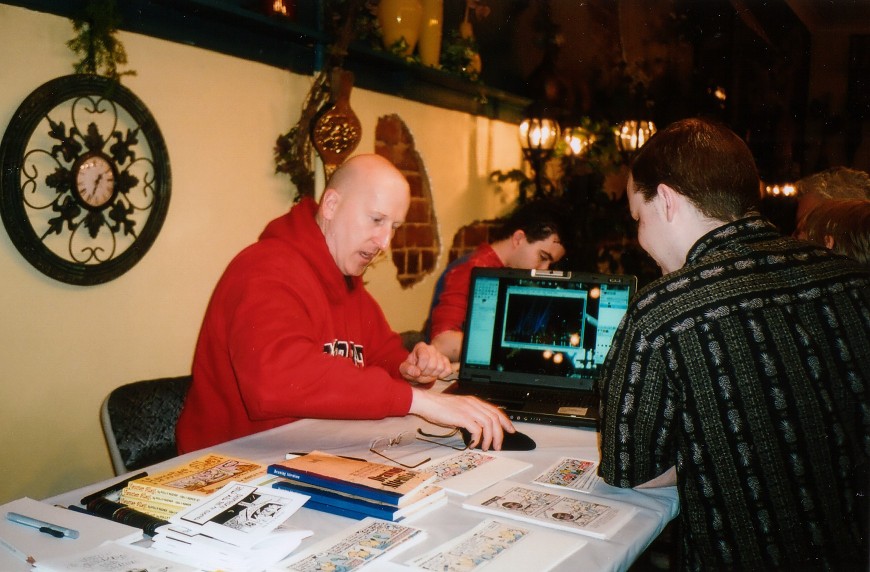
gimpdemoIn the photo at left, I’m demonstrating The Gimp and how I use it to help create my cartoon features. (The laptop’s display in these photos looks darker than it actually is. A photographic problem with lighting in the room) The Gimp is really a terrific application. I met a lot of parents who wanted to know what sort of graphics application they should buy for their son or daughter. These kids usually attend these events with their sketchpad to show me the cartoons they’ve created. They want to take the next step and get their cartoons into the computer so they can work on them digitally. That’s when I pulled the laptop front and center to show them Gimp.

Gimp comes with every Linux distro and does everything PhotoShop does and the cost is…FREE! The simple solution is to grab that old Windows box that no longer works due to virus infection, download Linux, and do a complete install. You wipe out Windows and you gain Linux security, Gimp and other terrific apps. And for the family on a budget, this is a perfect solution. You can also buy a system pre-installed with Linux. Either way, you get cutting edge technology to do everything that Windows and Mac do.  But the price is much more agreeable.

This coming Cartoonists Day and Free Comic Book Day, after you’re done picking up your free comic books, get something else for free. Get Linux!   Install it on your home computer and watch it release your creativity with terrific, free Open Source apps and software.

Get Linux and get creative.

(Editor’s note: This article by Mark Szorady contains material from a blog post that previously appeared on oneclicklinux.com.  We felt it would be informative here on georgetoon.com.)


Share

backtoschoolnetbookpicI stopped by my father’s house the other day, and a couple of neighbors came to the front door. They were volunteering for the area schools, going door-to-door, and getting out the word on the school levy vote coming up.

Of course, they were hoping Dad would vote for the levy.

I asked a few questions to get some basic information so I could relay it to Dad a little bit later.

The school levy is on the ballot again because the district needs additional money due to increases in operating costs.

As it was explained to me, many programs were about to be cut or have already been cut.  The neighbors specifically mentioned that many computer classes at the high school have been cut, as well.

This is one area of study that schools should not be forced to cut ever!   That is, if the school district would simply switch to Linux.

Linux is FREE!  All the software is free!  Once you obtain Linux, you own it!  A school system could download one copy of Linux and deploy it across the entire school system!  The schools could hand a copy of Linux to each and every student to install on their home PC or notebook computer.

Switching to Linux means no more licensing fees to Microsoft or Apple, no more anti-virus subscriptions, no more paying for software upgrades, no more spyware, no more Trojans, no more pirated software, etc.

The school system will be able to cut their software costs considerably.  In return, they could make a modest donation to the particular Linux distribution of their choice in order to keep the project moving forward.  But it would be nowhere near the hundreds and thousands of dollars that the schools, and parents, pay out each year to those other operating systems.

As one Linux friend put it (Parnote on the PCLinuxOS Forums), “You can d/l one copy of ANY Linux distro (preferably PCLinuxOS) and install it on ALL the computers in the school, if you choose. Hopefully, any school district that did that would pony up and contribute at least 10% of what it would have cost to install Windows, all the anti-virus software, all the MS Office software, and other assorted programs…”

That would be fair and the savings would still be considerable!

And it makes sense.  Linux is everywhere!  Google runs nothing but Linux on its servers.  Android phones are Linux.  And all  kinds of electronics gadgets run specialized/customized versions of Linux.

Want to see more reasons for schools to switch to Linux?  Check out this blog post.

And check out this school district that switched to Linux.

Here’s a school district in California making the grade with Linux.

And lastly, here’s an article from Wired magazine that speaks directly to the point I’m making when it states, “Tux the penguin may become the preferred mascot of America’s financially strained public education system –- for Linux represents a way to avoid paying hundreds of thousands of dollars for software.”

So, if schools would only run Linux, it would be one less thing school boards, teachers, and parents would need to argue over when belt tightening times arrive.


Share

As I’ve mentioned in the blog before, I use The Gimp for all my photo editing.  I use it exclusively when creating/editing all my cartoon features.

The Gimp is every bit as powerful as other graphics applications and absolutely free!  You can download Gimp for Windows or Mac.  If you decide to give Linux a try, The Gimp, in most cases, is already installed.  If not, it’s an easy matter of downloading and installing via the particular Linux distribution’s repository.

Each month, I contribute a “Gimp Tip” to PCLinuxOS Magazine. I though I’d share one of those Gimp tips with you here in the blog.

Here’s an example of what The Gimp can do.

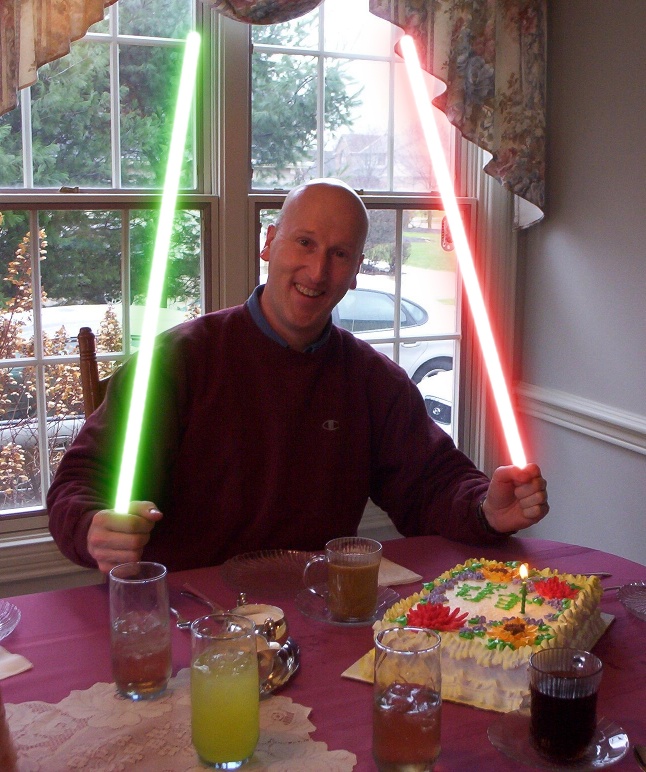
The Gimp and The Force help me celebrate my birthday!

The Gimp and The Force help me celebrate my birthday!

Thanks to Gimp’s creative community and its ability to add plug-ins, a Star Wars lightsaber effect is easily created with a single mouse click!  First, download the lightsaber plug-in from Gimp’s plug-in registry at http://registry.gimp.org/node/21369.  Drop the script into /.gimp-2.6/scripts (if you run Windows or Mac, the location is going to be a bit different).  Next, open Gimp and open an image.  Create a new layer with transparent background on top of the original image.  Make sure this new layer has an alpha channel.   Now, simply draw a white line.  It’s helpful if you already have a reference in the photo such as a sword blade, pole, stick or other prop to draw over.  Select Filters>RED STORM FX>LXSE v1.0. In the new dialog box, select your core size, glow size, glow color, etc. Click OK and the plug-in does the rest!  You can see an example (above) of how well the plug-in works.  That’s me using a double lightsaber to cut my birthday cake! Again, the plug-in did all the work!  After creating a new layer and drawing the white lines, The effect was achieved with one mouse click in less than ten seconds!

Want to see more Gimp tips?  Simply download PCLinuxOS Magazine each month.


Share

booksGot a Kindle?  Do you own a tablet or smartphone?  Well, get ready for some terrific FREE reading material!

As wireless devices become more affordable and allow us to get all kinds of traditional printed material, it’s nice to know that you can get some of the world’s most loved stories and novels absolutely free.

It’s all at Project Gutenburg.

Project Gutenburg, founded by Michael Hart, is the first and largest collection for free ebooks.  You an read how it all started here.

As the website states on it’s home page, “Project Gutenberg is the place where you can download over 33,000 free ebooks to read on your PC, iPad, Kindle, Sony Reader, iPhone, Android or other portable device.”

Project Gutenbuerg has been one of my favorite places to visit on the web.  They even have an option to download books and burn ’em toa CD/DVD!

A few Christmases ago, I took advantage of this option. I downloaded the free book ISO, burned it to CDs and handed them out as  a stocking stuffer.

Mark Twain, Jules Verne, Sir Arthur Conan Doyle, H.G. Wells, Charles Dickens, and many other renowned authors are all at your fingertips.  It’s like taking a trip to the library!  Only this one is a virtual library!

You can search by author name, title, bookshelf topic, popularity, etc.  With all the titles available and the website’s ease of use, you’ll have no problem acquiring entertaining and informative reading material for your wireless device/PC.

Please note PG’s disclaimer, “Our ebooks are free in the United States because their copyright has expired. They may not be free of copyright in other countries. Readers outside of the United States must check the copyright laws of their countries before downloading or redistributing our ebooks.”


Share